Overview
Throughout this course on Multimedia Learning (EDCI 337), I have gained a lot of experience and new knowledge on multimedia design and learning. Through working on several projects, assignments, and mediums, I have explored several learning outcomes involving multimedia. This portfolio explores how I met each of these learning outcomes through examples of my best (and favourite) supporting work. I also provide with examples of challenges and obstacles I faced on the way for the learning outcomes I faced the most trouble with executing.
Learning Outcomes
Outcome 1: Contextualizing Learning which Informs Interactive and Multimedia Experiences
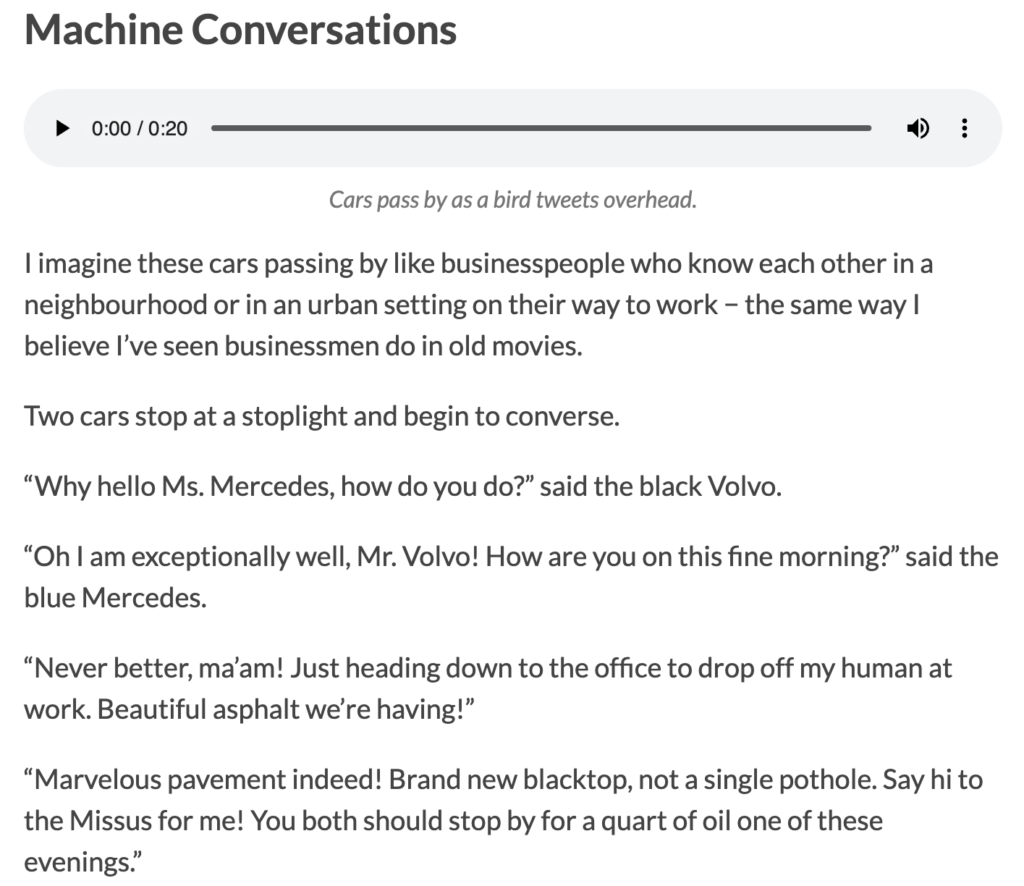
The first learning outcome for this course required me to contextualize learning which informs interactive and multimedia experiences. I interpret that this means that I used learning processes and my own learnings to create multimedia experiences. In my May 25th-31st Daily Creates blog focusing on images, I created a photogram that required me to use active processing. This is because I had to consider what angle to take the photo from, what objects would look nice in the photo, and how to make the photo look like a photogram. As stated by Granchelli (2025c), active processing involves “filtering, selecting, organizing, and integrating information”. I also used Merrill’s First Principles of Application and Integration as evident in my May 18th-24th Daily Creates blog, where I applied my previous learnings on creative writing in order to write a hypothetical conversation between cars, and continued to integrate my learnings into my academic work in other future projects and blog posts. Additionally, figuring out how to convert M4A audio files for that blog into MP3 files for upload compatibility on WordPress required active learning through practice and trial and error.
Finally, I applied cognitive load to learning in my work, such as in my June 1st-7th Daily Creates, when I had to use high cognitive load to stay focused on reading a boring pamphlet for a video. This was a pamphlet which went against the extraneous cognitive load principle of redundancy, as it is involved word-for-word narration of text.
Overall, each of these examples (and more) when creating these blogs made me understand just how much learning is required to create multimedia and multimedia experiences.
Outcome 2: Applying Multimedia Design Principles in Planning Educational Resources
For this next learning outcome, while I did not create or plan any educational resources, I did make media with information which could be taken in or “learned” in a sense by readers and viewers throughout the term. For these creations, I did apply multimedia design principles. I believe learning to apply Mayer’s Principles of Multimedia Learning to my creations and blog posts has been one of the most important learnings for me in this course.
One example that I’m proud of from my work where I applied Mayer’s Principles of Multimedia Learning is in my multimedia story, A Multimedia Story: Paddle-Boarding and Exploring Okanagan Lake. For this story I incorporated these principles in several ways and explained how I did so. For example, I used the coherence principle in my multimedia story by staying focused on the topic of the story and cutting out parts that were not as relevant. I also incorporated the signalling principle by using headings to make it easier for readers to follow the progression of the story, the contiguity principle by keeping text and relevant media (pictures, videos, and audio) close together in order to make it easier for readers to associate words with media, and the personalization principle by using conversational language than a more formal tone in my text to make the story feel more connected to the reader.
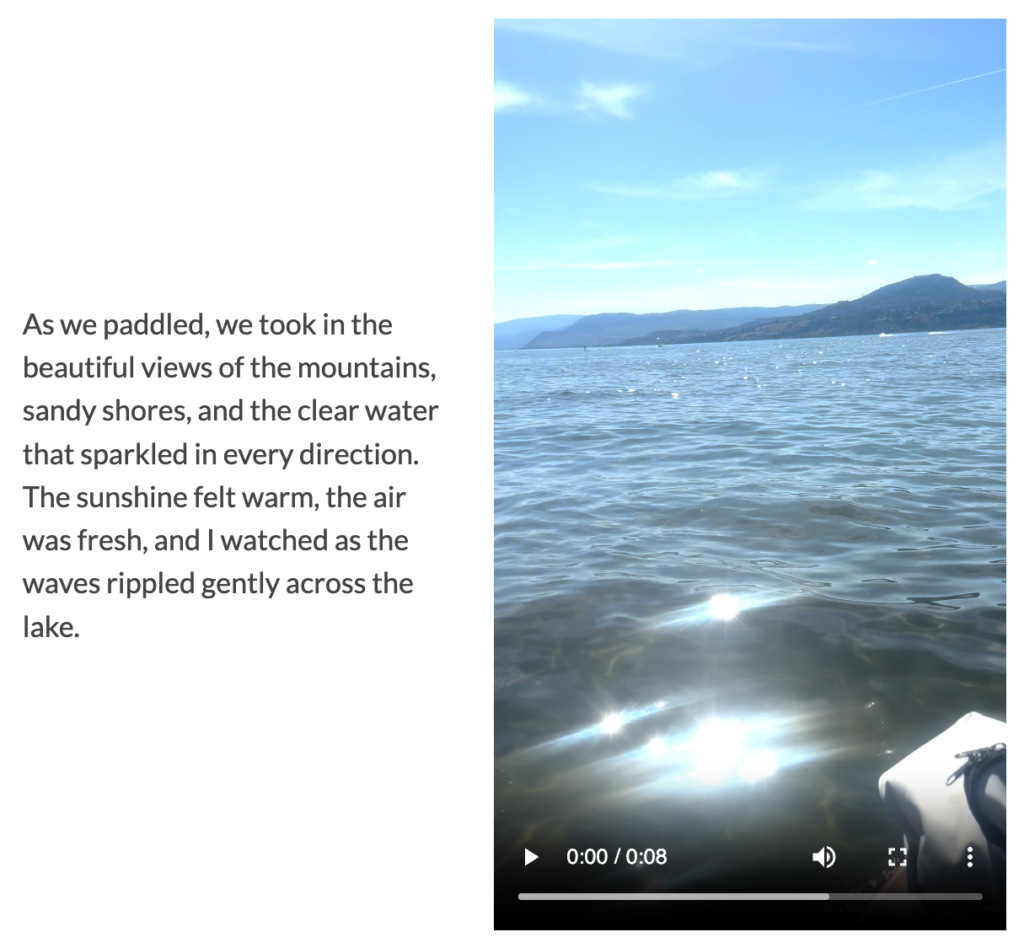
Researching and planning on how I would use Mayer’s Principles of Multimedia Learning, then actually incorporating them into my multimedia story allowed me to fully grasp the concept of applying multimedia design principles. However, learning to apply these principles did not come without challenges. I found it hard sometimes to follow the principles. For example, I felt I had a tendency to include way more photos, videos, or other media than needed, simply because they looked “cool” or added a bit more detail. But I also often saw that this tendency led me to add irrelevant media, which goes against the coherence principle. This also led me to add too much media that was spread out and not close to associated text, which goes against the contiguity principle. Learning to spot the signs of these principle violations helped me to correct them and ultimately made my story stronger after applying corrections.
Outcome 3: Engaging in Design Thinking to Create Multimedia Learning Projects
I used design thinking throughout much of my work in this course. However, the multimedia project I put the most work into and which required the most design thinking was my multimedia story project, particularly when working on the multimedia story draft. For this project, I used divergent thinking as I had to think of several ideas before I finally made a decision on what to make my multimedia story about. Same goes for when deciding what media to include to my story to make it stronger, and what multimedia principles to focus on. As stated by Granchelli et al. (2025a), divergent thinking involves exploring and considering multiple options or possibilities in order to think of ideas.
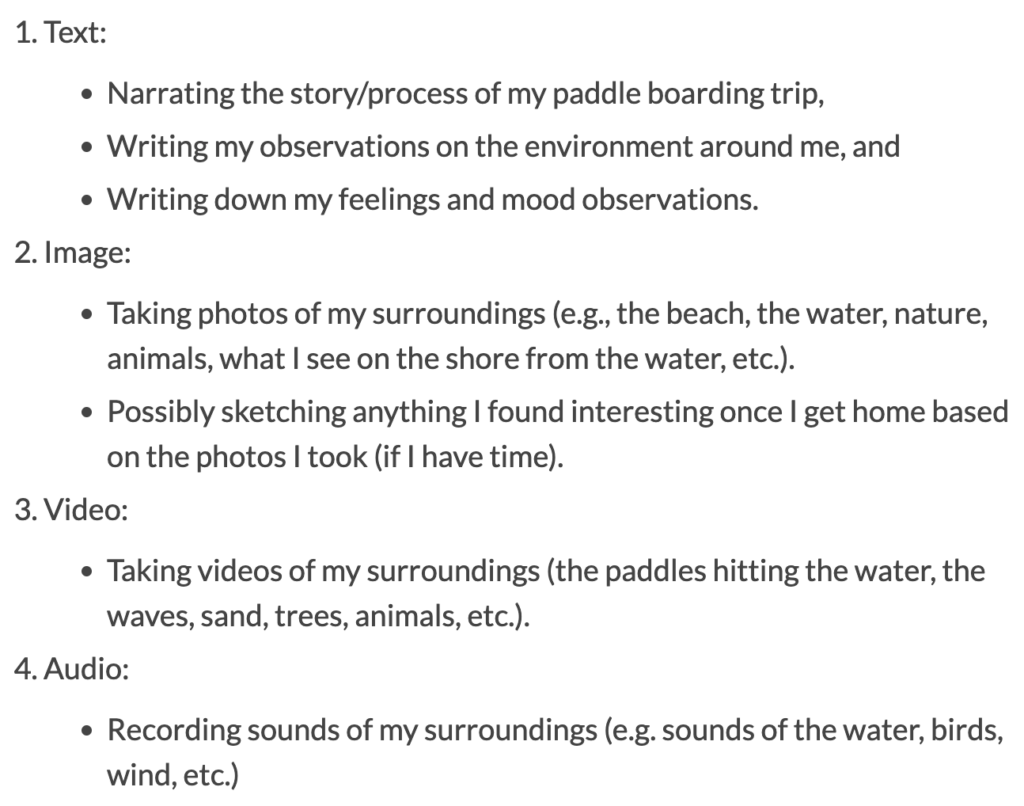
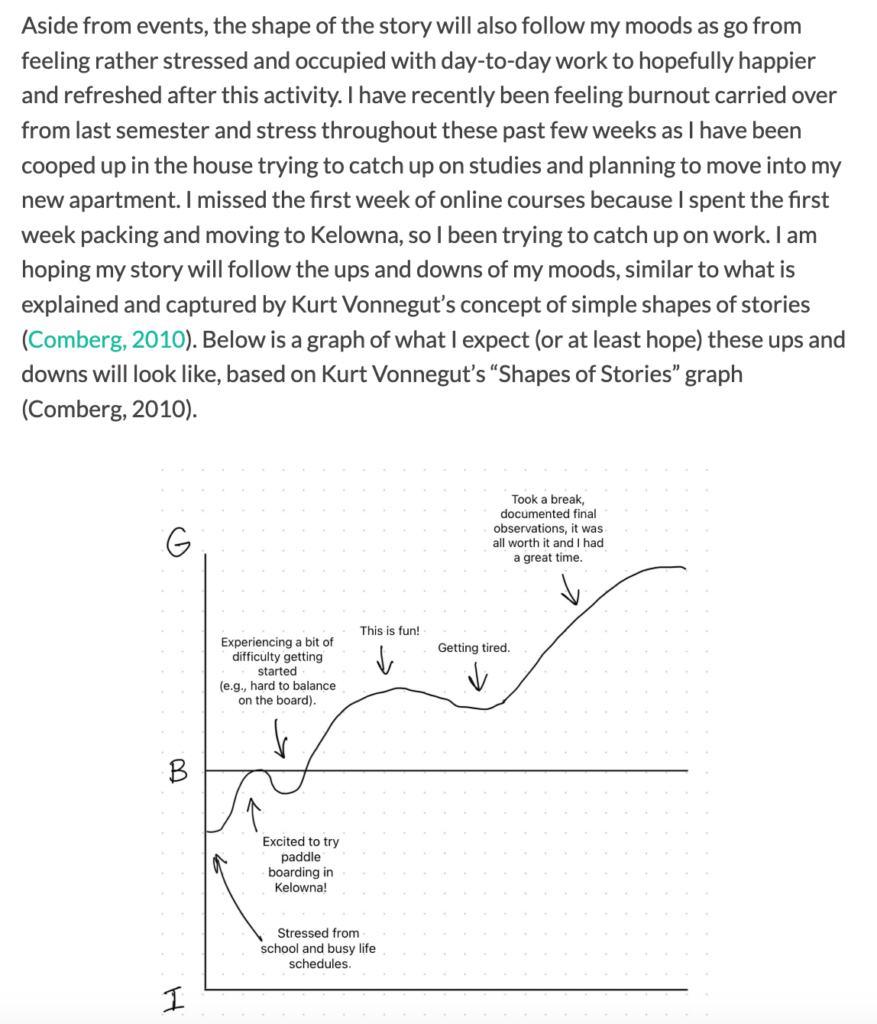
I also had to put into practice the design process phases to (1) understand, (2) plan, (3) try, and (4) reflect as discussed by Granchelli et al. (2025a). During the “understand” phase, I understood the problem or challenge to address, which was to create a multimedia story using different types of multimedia. Then I planned my multimedia story in my multimedia story draft, highlighting what I wanted to write my story on, what media I wanted to include, what principles I could incorporate, as well as how I expected my moods to look like using Kurt Vonnegut’s “Shapes of Stories” graph. Next, I tried to put my plan into action, meaning I went out and did what I planned. I went out paddle-boarding and exploring beaches on Okanagan Lake (as this was the topic of my story), I documented observations and media, and then I went home and put the story together, all while checking my progress along the way and overcoming obstacles. Finally, I reflected on my experiences and my story as a whole in my final multimedia story, A Multimedia Story: Paddle-Boarding and Exploring Okanagan Lake. Here, I reflected on how the paddle-boarding adventure went, how I wrote the story using Mayer’s Principles of Multimedia learning, and how I incorporated peer feedback into my story.
Outcome 4: Applying Storytelling Principles in Creating Effective Learning Opportunities
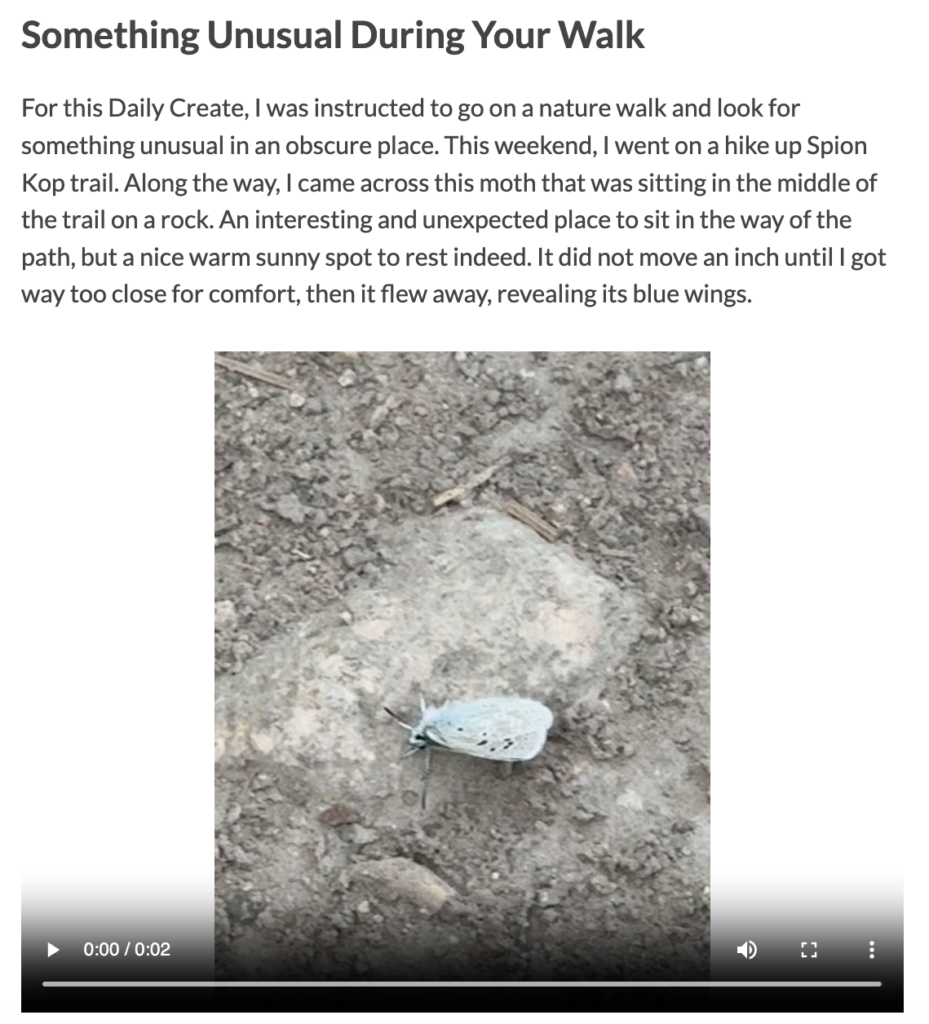
Throughout this course, I learned to apply storytelling principles within learning opportunities. For instance, in my June 1st-7th Daily Create, I attached and created videos that communicate stories and emotions. For example, I wrote a true story about how I found a moth on a trail as I was hiking, and I attached a video of the moth which supports the story with visualization. Looking at the video alone of the moth without context just gives the viewer the idea facts that there is a moth on a rock. But the video accompanied by storytelling tells viewers context that would otherwise not be known. In other words, it brings the moth meaning, it brings a character to life. This aligns with the idea that storytelling should bring characters to life (Granchelli, 2025b). It also aligns with the idea that “[s]tories can engage us on a deeper level than simple facts” (Granchelli, 2025b).
Outcome 5: Describing and Applying Principles of Effective Interactive Multimedia Design
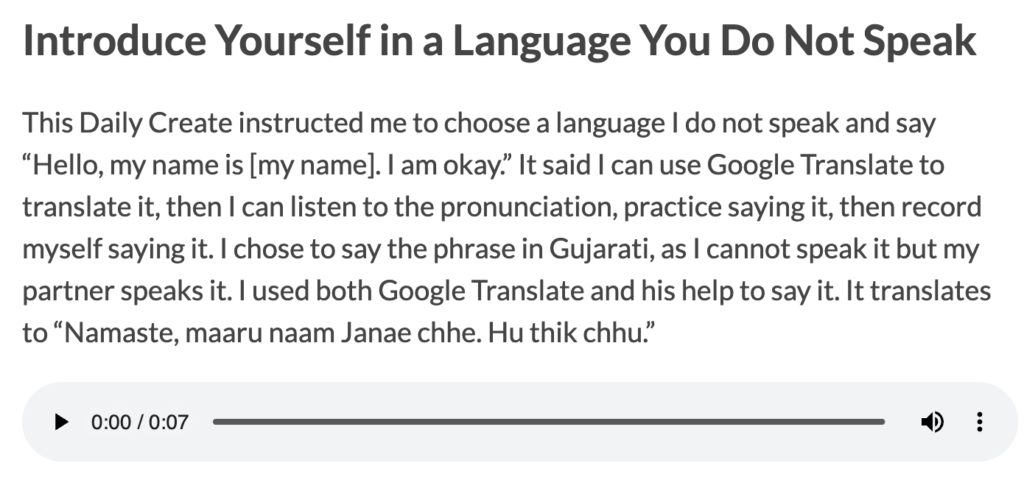
I described and applied principles of interactive multimedia design throughout the term. For example, in my June 8th-14th Daily Creates blog, I used Google Translate to translate the phrase “Hello, my name is Janae. I am okay” to Gujuraati, which is “Namaste, maaru naam Janae chhe. Hu thik chhu”. I also used it to help me pronounce the phrase using the pronunciation “speaker” button on Google Translate. I found that this aligned with the Universal Design of Learning (UDL) principle of providing multiple means of representation, because having multiple learning formats such as both text and audio helped meet my learning needs and contributed to my learning better.
Additionally, I included Kat Holmes’ “Solve for One, Extend to Many” inclusive design principle in the YouTube video in my June 1st-7th Daily Creates blog, as the YouTube video includes captions for those with impaired hearing, viewers new to the English language, and those who need support in processing the words. As Holmes (2019, as cited in Granchelli, 2026) states, “Designing for people with disabilities actually results in designs that benefit people, universally”.

I also incorporated principles of multimedia learning in design of multimedia work, such as in my multimedia story, as discussed above under the “Outcome 2: Applying Multimedia Design Principles in Planning Educational Resources” section.
Outcome 6: Generating a Variety of Prototype Artifacts Including Comics, Videos, and Web Pages
I have applied this learning outcome when creating my multimedia story draft. In my draft, I created a graph showing what I expected my moods would look like (using ups and downs of a curved line on a graph), based on Kurt Vonnegut’s “Shapes of Stories” graph (Comberg, 2010). This helped me better understand how my story would go, what I might encounter during the adventure, and how I could tell my story in an engaging way by involving depictions of my moods throughout the story.
Outcome 7: Using GenAI Appropriately as a Tool to Support Creative Activities
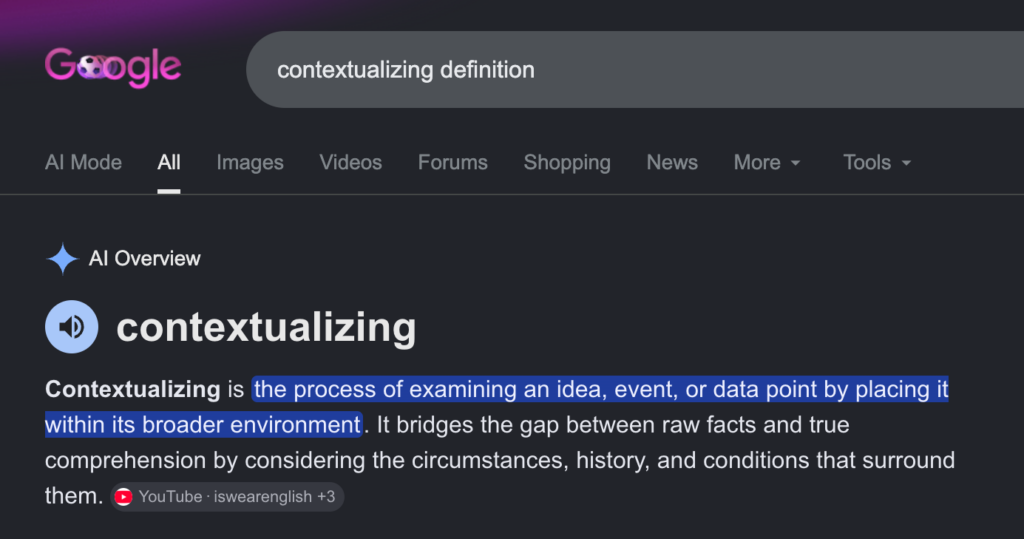
Throughout the course, I did not use GenAI for any writing support or media creation. However, I will say that using Google Chrome or Safari sometimes leads to some of my Google searches showing up through Google Gemini. Much of my Google searches involve searching up the definitions of words, especially for this course with a lot of writing and new concepts involved. For example, while creating this blog, I searched up the definition of “contextualizing” to help me interpret what the first learning outcome for the course means. Upon searching “contextualizing definition” on Google, Google Gemini automatically provided the definition of “contextualizing” along with a few examples of phrases using the word. This ultimately helped me grasp the concept of the first learning outcome better. I would consider this kind of GenAI support appropriate as it does not mean extensive support or reliance on the tool, and it provides aid similar to how a search engine would.
It can be a challenge sometimes, as I must be careful to avoid potentially having too much help from AI (depending on the context of the search), and I do have to make sure I do not accidentally copy whatever I read from AI or even consistently believe what it says. Therefore, I limit my searches to mainly broad topic areas or definitions as much as I can, and skip reading the AI to find actual sources when more appropriate. However, overall, GenAI has assisted me in understanding my writing and course concepts through indirect Google searches.
Future Applications of Course Learnings
I believe the learnings from this course are highly valuable towards future opportunities. This is my final semester at the University of Victoria, but if I find myself in the workplace or even if I take courses again, I could use the learnings from this course when creating presentations, employee training guides, user guides, and websites. Working in a corporate setting as a health informatics professional often requires me to create training or user guides for users of systems or platforms. This includes creating user guides with text, images and videos showing the user how to navigate and use a platform, such as a platform for ordering mobile devices for healthcare teams (I had to do this in one of my co-ops). I also often have to create and test out healthcare websites, checking if media are placed in the correct places, and if usability and accessibility is incorporated into the website design. My new learnings from this course can be applied directly to website design and testing. Finally, both at work and at school, I often have to make presentations. Knowing to use Mayer’s Multimedia design principles to make my presentations stronger (e.g., using the signalling principle for headings and contiguity principle for keeping related images and text close together) will help me significantly within professional settings.
References
Comberg, D. (2010, October 30). Kurt Vonnegut on the shapes of stories [Video]. Youtube. https://www.youtube.com/watch?v=oP3c1h8v2ZQ&t=2s
Granchelli, A. (2025a, October 6). Design process. EDCI 337: Interactive & Multimedia Learning. https://edtechuvic.ca/edci337/2025/10/06/design-process/
Granchelli, A. (2025b, September 14). Storytelling. EDCI 337: Interactive & Multimedia Learning. https://edtechuvic.ca/edci337/2025/09/14/storytelling/
Granchelli, A. (2025c, September 5). Theories of multimedia learning. EDCI 337: Interactive & Multimedia Learning. https://edtechuvic.ca/edci337/2025/09/05/theories-of-multimedia-learning/
Granchelli, A. (2026, May 6). Accessible multimedia. EDCI 337: Interactive & Multimedia Learning. https://edtechuvic.ca/edci337/2026/05/06/accessible-multimedia/
MacIsaac, J. (2026a, June 19). A Multimedia Story: Paddle-Boarding and Exploring Okanagan Lake. Janae MacIsaac – EDCI 337. https://jmacisaac.opened.ca/2026/06/19/a-multimedia-story-paddle-boarding-and-exploring-okanagan-lake/
MacIsaac, J. (2026b, June 7). June 1st – 7th Daily Creates. Janae MacIsaac – EDCI 337. https://jmacisaac.opened.ca/2026/06/08/june-1st-7th-daily-creates/
MacIsaac, J. (2026c, June 14). June 8th-14th Daily Creates. Janae MacIsaac – EDCI 337. https://jmacisaac.opened.ca/2026/06/14/june-8th-14th-daily-creates/
MacIsaac, J. (2026d, May 24). May 18th – 24th Daily Creates. Janae MacIsaac – EDCI 337. https://jmacisaac.opened.ca/2026/05/24/may-18th-24th-daily-creates/
MacIsaac, J. (2026e, June 6). May 25th – 31st Daily Creates. Janae MacIsaac – EDCI 337. https://jmacisaac.opened.ca/2026/06/06/may-25th-31st-daily-creates/
MacIsaac, J. (2026f, May 25). Multimedia Story DRAFT. Janae MacIsaac – EDCI 337. https://jmacisaac.opened.ca/2026/05/25/multimedia-story-draft/
Recent Comments