This week, I focused on creating data visualizations. Since data visualization Daily Creates are not available on the Today’s Daily Create (TDC) website, I had to think of ideas for creating data visualizations myself. First, I created a pie chart on Canva showing the percentages of family’s favourite colours (the % of 7 people who have a certain favourite colour). Later on, I created a bar chart on the temperature in Kelowna compared to the temperature in Victoria, British Columbia.
Daily Creates
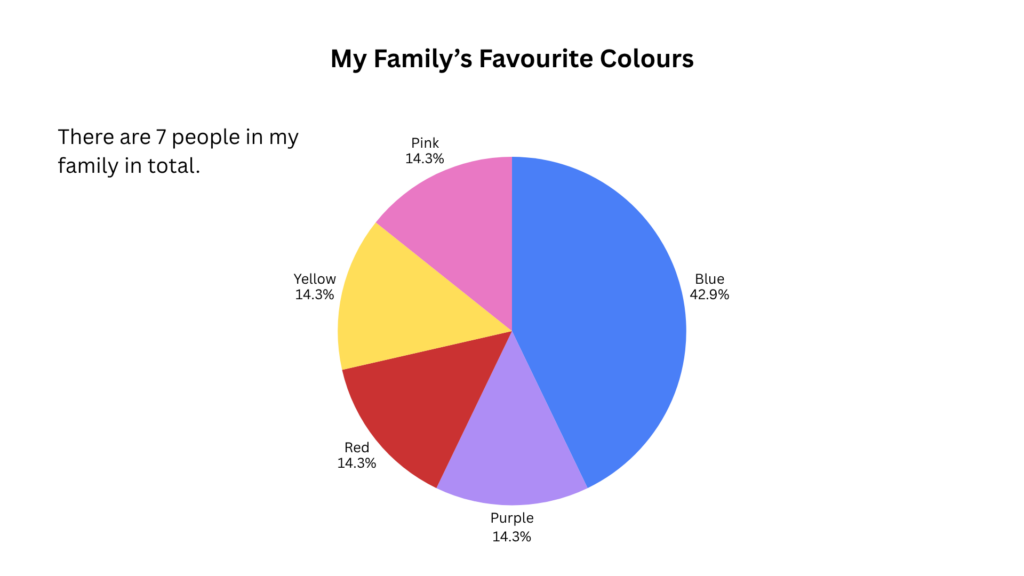
Canva Pie Chart on My Family’s Favourite Colours
For this Daily Create, I decided to create a pie chart using Canva on my family’s favourite colours. There are seven people in my family, including my parents, my three siblings, and my partner (who I included so there would be more people involved for more data). As can be seen from the pie chart, 3 out of 7 (42.9%) people in my family favour the colour blue, 1 out of 7 (14.3%) favours the colour purple, 1 out of 7 (14.3%) favours the colour red, and another 1 out of 7 (14.3%) has the favourite colour red.
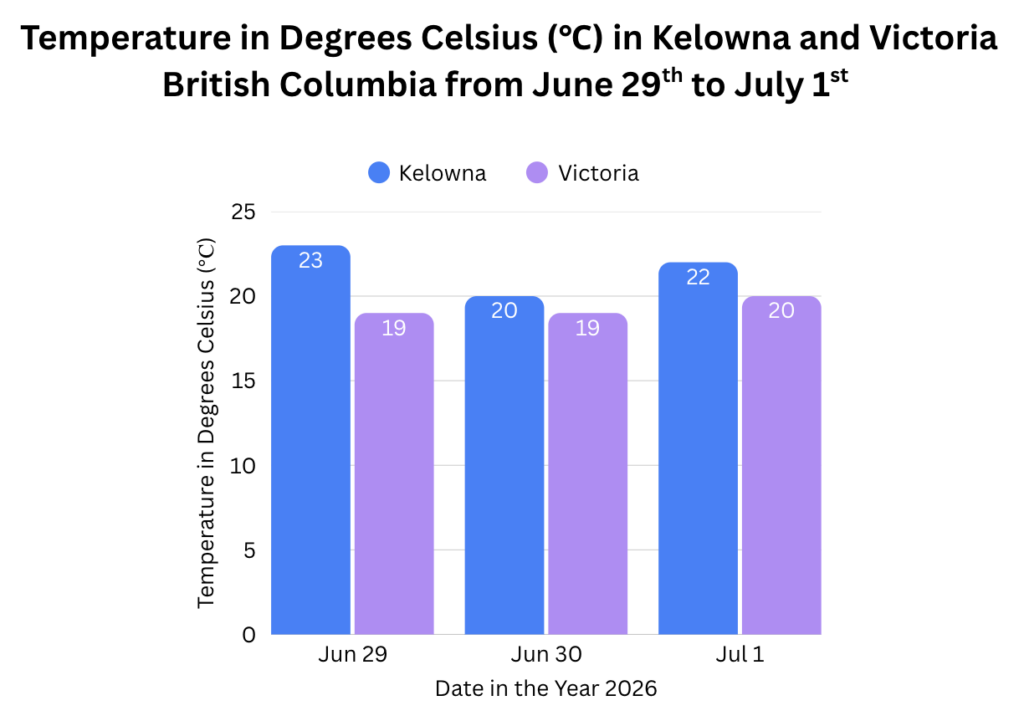
Canva Bar Chart on Temperature in Kelowna vs. Victoria
In this next Daily Create, I decided to create a bar chart on Canva to show the temperature in degrees Celsius (℃) in Kelowna and Victoria, British Columbia from June 29th to July 1st. Sometimes I like to compare the weather between where I live in Kelowna and where my family lives in Victoria. I wanted to know what the weather might be like anyways as I plan to go out between those dates. It’s interesting to see how as it gets cooler here between the 29th and the 1st, it gets warmer in Victoria. I used the Apple Weather app on my phone to get this data.
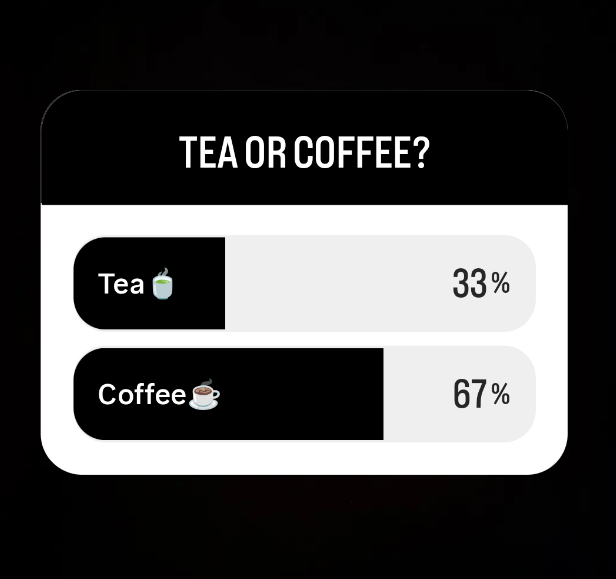
Instagram Poll on Preference for Tea or Coffee
For the final Daily Create this week, I posted an Instagram poll on my Instagram story and set it for only friends to see. I asked a few of my friends to fill out the poll. The Instagram poll idea is something I saw another classmate do, so I thought I would try it out myself. The poll asks a simple question of whether my friends prefer tea or coffee. Three of my friends answered the poll. Two out of three (67%) prefer coffee, while one person prefers tea (33%).
Reflection
This week, I used two different platforms and three different ways to represent/visualize data. This reflected several course concepts, including the data visualization principles. Overall, I think my Daily creates help to show patterns and ideas that may be harder to grasp without the use of data visualization.
Across each of my Daily Creates, I used the data visualization principle of keeping it simple. This principle states that I should avoid making highly elaborate and complicated charts and that I should use common charts that people are familiar with (Madland, 2026). Additionally, it states that I should avoid using 3D charts as they can distort the image and how the user perceives the data (Madland, 2026). For the first two Daily Creates, I used common charts like pie charts and bar charts. Across all of my Daily Creates I used simple colours and smaller datasets to make it easier to visualize and understand.
I made sure to use appropriate data visualizations for each of my Daily Creates. This aligns with the data visualization principle outlined by Madland (2026), which explains that one should use visualizations that are appropriate for the type of data that is being shown. I used a pie chart to show the percentage of people in my family who favour a certain colour out of multiple colours. And I chose to use a bar chart with proper colour coding to show a comparison between temperatures in Victoria and temperatures in Kelowna. The bar chart can also show a pattern on whether the temperature is increasing or decreasing in each location. Finally, the Instagram poll was used both for the collection of data from peers and for visualization as it shows a simple question asking for my friends’ preference for tea or coffee. It also shows the percentage of those who answered “tea” and those who answered “coffee”. Using two comparison bars (one for “tea” and one for “coffee”, the bars fill up to visually show which option was chosen more.
For each of my Daily Creates, I labeled axes and data visualizations clearly so that viewers could easily understand what is being presented. This aligns with the principle to label clearly (Madland, 2026). For example, in the bar chart, I labelled the y-axis as “Temperature in Degrees Celsius (℃)”, making sure to show the units, and I labelled the x-axis as “Date in the Year 2026” to specify the year. I also labelled the data bars with numbers to specify the exact temperature represented by each bar. Finally, I used colour coding labels to specify which colour belongs to which city (Kelowna or Victoria).
For the pie chart, I made sure to use colour intentionally. I made sure to use different colours that are easy to distinguish between each other, without making use of too many colours. This aligns with the principle that states colour should be used to highlight important data and make data visualization appealing, while also not being overwhelming with too many colours or inconsistencies (Madland, 2026). I matched the colour on the pie chart to the colour mentioned in the data labels to make it clearer and more consistent for those viewing it.
Finally, across all of my Daily Creates, I provided context and told a story through text associated with the data visualizations. In my bar chart and Instagram poll, I clearly stated where I got the data source from (Apple Weather and Instagram apps). I also provided context for the data in each of my charts with information like units of measurement, including percentages and degrees Celsius. This aligns with the principle to “provide context for the data by including relevant information such as units of measurement and a description of the data source” (Madland, 2026). Moreover, I told a story to communicate a message in my bar chart Daily Create, sharing how I like to compare the weather between my city and my family’s city and how I wanted to check the weather in Kelowna so I may go out between those dates. For each of my Daily Creates, I use titles for my data to provide the key takeaways. This shows that I used the data visualization principle to tell a story, which means to communicate a message and use titles to explain key takeaways regarding the data (Madland, 2026).
Throughout this course on Multimedia Learning (EDCI 337), I have gained a lot of experience and new knowledge on multimedia design and learning. Through working on several projects, assignments, and mediums, I have explored several learning outcomes involving multimedia. This portfolio explores how I met each of these learning outcomes through examples of my best (and favourite) supporting work. I also provide with examples of challenges and obstacles I faced on the way for the learning outcomes I faced the most trouble with executing.
Learning Outcomes
Outcome 1: Contextualizing Learning which Informs Interactive and Multimedia Experiences
The first learning outcome for this course required me to contextualize learning which informs interactive and multimedia experiences. I interpret that this means that I used learning processes and my own learnings to create multimedia experiences. In my May 25th-31st Daily Creates blog focusing on images, I created a photogram that required me to use active processing. This is because I had to consider what angle to take the photo from, what objects would look nice in the photo, and how to make the photo look like a photogram. As stated by Granchelli (2025c), active processing involves “filtering, selecting, organizing, and integrating information”. I also used Merrill’s First Principles of Application and Integration as evident in my May 18th-24th Daily Creates blog, where I applied my previous learnings on creative writing in order to write a hypothetical conversation between cars, and continued to integrate my learnings into my academic work in other future projects and blog posts. Additionally, figuring out how to convert M4A audio files for that blog into MP3 files for upload compatibility on WordPress required active learning through practice and trial and error.
Finally, I applied cognitive load to learning in my work, such as in my June 1st-7th Daily Creates, when I had to use high cognitive load to stay focused on reading a boring pamphlet for a video. This was a pamphlet which went against the extraneous cognitive load principle of redundancy, as it is involved word-for-word narration of text.
Overall, each of these examples (and more) when creating these blogs made me understand just how much learning is required to create multimedia and multimedia experiences.
Outcome 2: Applying Multimedia Design Principles in Planning Educational Resources
For this next learning outcome, while I did not create or plan any educational resources, I did make media with information which could be taken in or “learned” in a sense by readers and viewers throughout the term. For these creations, I did apply multimedia design principles. I believe learning to apply Mayer’s Principles of Multimedia Learning to my creations and blog posts has been one of the most important learnings for me in this course.
One example that I’m proud of from my work where I applied Mayer’s Principles of Multimedia Learning is in my multimedia story, A Multimedia Story: Paddle-Boarding and Exploring Okanagan Lake. For this story I incorporated these principles in several ways and explained how I did so. For example, I used the coherence principle in my multimedia story by staying focused on the topic of the story and cutting out parts that were not as relevant. I also incorporated the signalling principle by using headings to make it easier for readers to follow the progression of the story, the contiguity principle by keeping text and relevant media (pictures, videos, and audio) close together in order to make it easier for readers to associate words with media, and the personalization principle by using conversational language than a more formal tone in my text to make the story feel more connected to the reader.
Example of Using the Contiguity Principle in my Multimedia Story
Researching and planning on how I would use Mayer’s Principles of Multimedia Learning, then actually incorporating them into my multimedia story allowed me to fully grasp the concept of applying multimedia design principles. However, learning to apply these principles did not come without challenges. I found it hard sometimes to follow the principles. For example, I felt I had a tendency to include way more photos, videos, or other media than needed, simply because they looked “cool” or added a bit more detail. But I also often saw that this tendency led me to add irrelevant media, which goes against the coherence principle. This also led me to add too much media that was spread out and not close to associated text, which goes against the contiguity principle. Learning to spot the signs of these principle violations helped me to correct them and ultimately made my story stronger after applying corrections.
Outcome 3: Engaging in Design Thinking to Create Multimedia Learning Projects
I used design thinking throughout much of my work in this course. However, the multimedia project I put the most work into and which required the most design thinking was my multimedia story project, particularly when working on the multimedia story draft. For this project, I used divergent thinking as I had to think of several ideas before I finally made a decision on what to make my multimedia story about. Same goes for when deciding what media to include to my story to make it stronger, and what multimedia principles to focus on. As stated by Granchelli et al. (2025a), divergent thinking involves exploring and considering multiple options or possibilities in order to think of ideas.
Planning the Types of Media to Use in My Story
I also had to put into practice the design process phases to (1) understand, (2) plan, (3) try, and (4) reflect as discussed by Granchelli et al. (2025a). During the “understand” phase, I understood the problem or challenge to address, which was to create a multimedia story using different types of multimedia. Then I planned my multimedia story in my multimedia story draft, highlighting what I wanted to write my story on, what media I wanted to include, what principles I could incorporate, as well as how I expected my moods to look like using Kurt Vonnegut’s “Shapes of Stories” graph. Next, I tried to put my plan into action, meaning I went out and did what I planned. I went out paddle-boarding and exploring beaches on Okanagan Lake (as this was the topic of my story), I documented observations and media, and then I went home and put the story together, all while checking my progress along the way and overcoming obstacles. Finally, I reflected on my experiences and my story as a whole in my final multimedia story, A Multimedia Story: Paddle-Boarding and Exploring Okanagan Lake. Here, I reflected on how the paddle-boarding adventure went, how I wrote the story using Mayer’s Principles of Multimedia learning, and how I incorporated peer feedback into my story.
Outcome 4: Applying Storytelling Principles in Creating Effective Learning Opportunities
Throughout this course, I learned to apply storytelling principles within learning opportunities. For instance, in my June 1st-7th Daily Create, I attached and created videos that communicate stories and emotions. For example, I wrote a true story about how I found a moth on a trail as I was hiking, and I attached a video of the moth which supports the story with visualization. Looking at the video alone of the moth without context just gives the viewer the idea facts that there is a moth on a rock. But the video accompanied by storytelling tells viewers context that would otherwise not be known. In other words, it brings the moth meaning, it brings a character to life. This aligns with the idea that storytelling should bring characters to life (Granchelli, 2025b). It also aligns with the idea that “[s]tories can engage us on a deeper level than simple facts” (Granchelli, 2025b).
Outcome 5: Describing and Applying Principles of Effective Interactive Multimedia Design
I described and applied principles of interactive multimedia design throughout the term. For example, in my June 8th-14th Daily Creates blog, I used Google Translate to translate the phrase “Hello, my name is Janae. I am okay” to Gujuraati, which is “Namaste, maaru naam Janae chhe. Hu thik chhu”. I also used it to help me pronounce the phrase using the pronunciation “speaker” button on Google Translate. I found that this aligned with the Universal Design of Learning (UDL) principle of providing multiple means of representation, because having multiple learning formats such as both text and audio helped meet my learning needs and contributed to my learning better.
Additionally, I included Kat Holmes’ “Solve for One, Extend to Many” inclusive design principle in the YouTube video in my June 1st-7th Daily Creates blog, as the YouTube video includes captions for those with impaired hearing, viewers new to the English language, and those who need support in processing the words. As Holmes (2019, as cited in Granchelli, 2026) states, “Designing for people with disabilities actually results in designs that benefit people, universally”.
I also incorporated principles of multimedia learning in design of multimedia work, such as in my multimedia story, as discussed above under the “Outcome 2: Applying Multimedia Design Principles in Planning Educational Resources” section.
Outcome 6: Generating a Variety of Prototype Artifacts Including Comics, Videos, and Web Pages
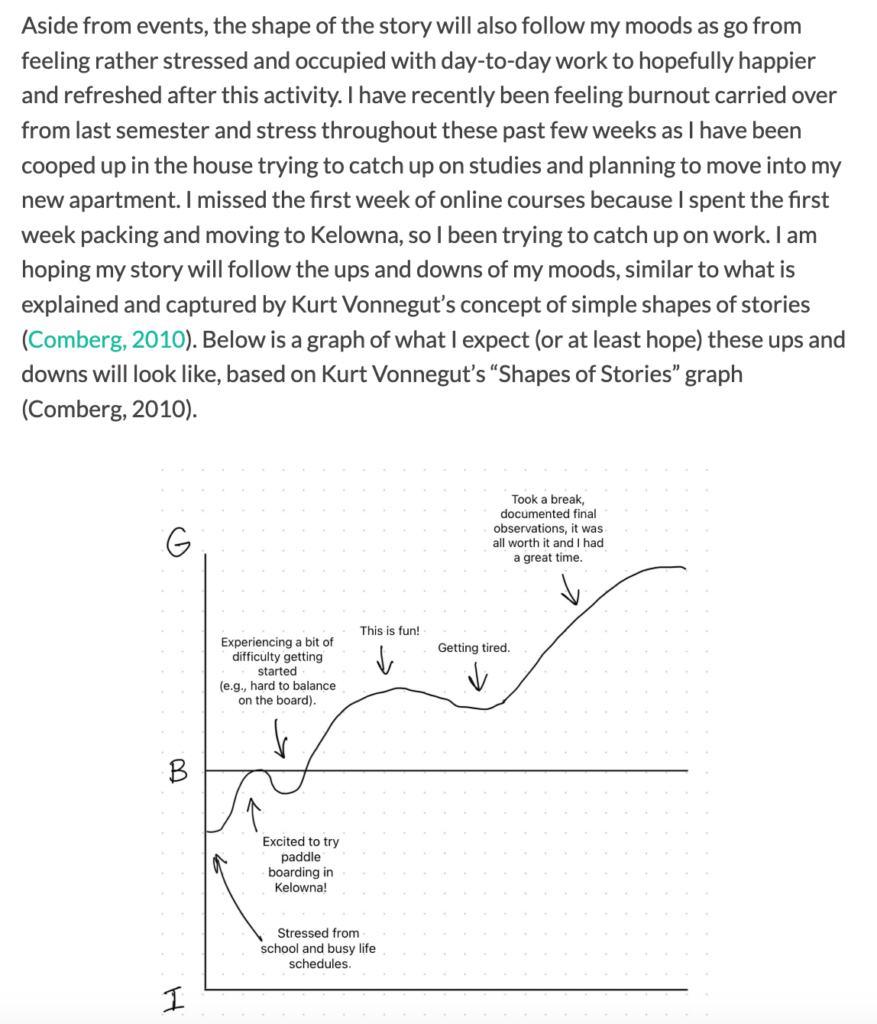
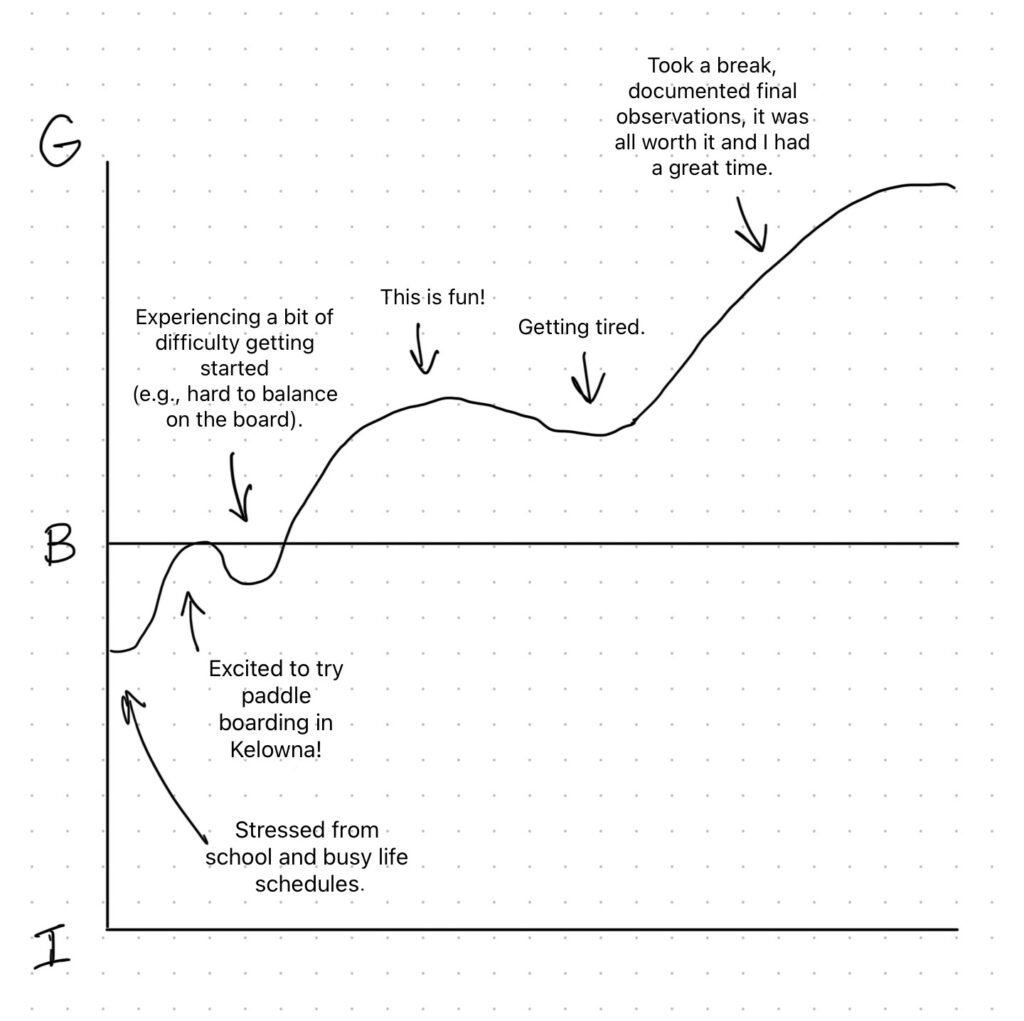
I have applied this learning outcome when creating my multimedia story draft. In my draft, I created a graph showing what I expected my moods would look like (using ups and downs of a curved line on a graph), based on Kurt Vonnegut’s “Shapes of Stories” graph (Comberg, 2010). This helped me better understand how my story would go, what I might encounter during the adventure, and how I could tell my story in an engaging way by involving depictions of my moods throughout the story.
Outcome 7: Using GenAI Appropriately as a Tool to Support Creative Activities
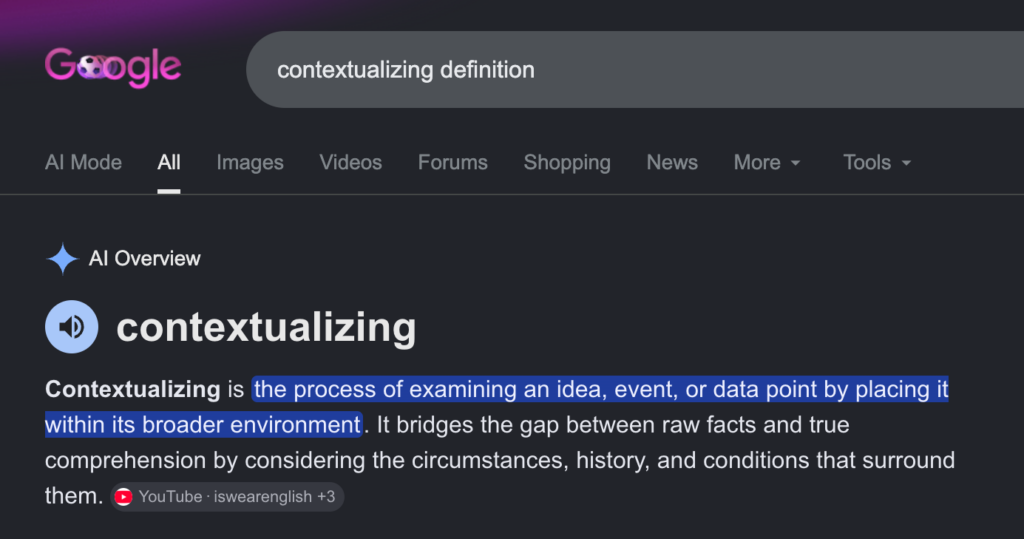
Throughout the course, I did not use GenAI for any writing support or media creation. However, I will say that using Google Chrome or Safari sometimes leads to some of my Google searches showing up through Google Gemini. Much of my Google searches involve searching up the definitions of words, especially for this course with a lot of writing and new concepts involved. For example, while creating this blog, I searched up the definition of “contextualizing” to help me interpret what the first learning outcome for the course means. Upon searching “contextualizing definition” on Google, Google Gemini automatically provided the definition of “contextualizing” along with a few examples of phrases using the word. This ultimately helped me grasp the concept of the first learning outcome better. I would consider this kind of GenAI support appropriate as it does not mean extensive support or reliance on the tool, and it provides aid similar to how a search engine would.
It can be a challenge sometimes, as I must be careful to avoid potentially having too much help from AI (depending on the context of the search), and I do have to make sure I do not accidentally copy whatever I read from AI or even consistently believe what it says. Therefore, I limit my searches to mainly broad topic areas or definitions as much as I can, and skip reading the AI to find actual sources when more appropriate. However, overall, GenAI has assisted me in understanding my writing and course concepts through indirect Google searches.
Future Applications of Course Learnings
I believe the learnings from this course are highly valuable towards future opportunities. This is my final semester at the University of Victoria, but if I find myself in the workplace or even if I take courses again, I could use the learnings from this course when creating presentations, employee training guides, user guides, and websites. Working in a corporate setting as a health informatics professional often requires me to create training or user guides for users of systems or platforms. This includes creating user guides with text, images and videos showing the user how to navigate and use a platform, such as a platform for ordering mobile devices for healthcare teams (I had to do this in one of my co-ops). I also often have to create and test out healthcare websites, checking if media are placed in the correct places, and if usability and accessibility is incorporated into the website design. My new learnings from this course can be applied directly to website design and testing. Finally, both at work and at school, I often have to make presentations. Knowing to use Mayer’s Multimedia design principles to make my presentations stronger (e.g., using the signalling principle for headings and contiguity principle for keeping related images and text close together) will help me significantly within professional settings.
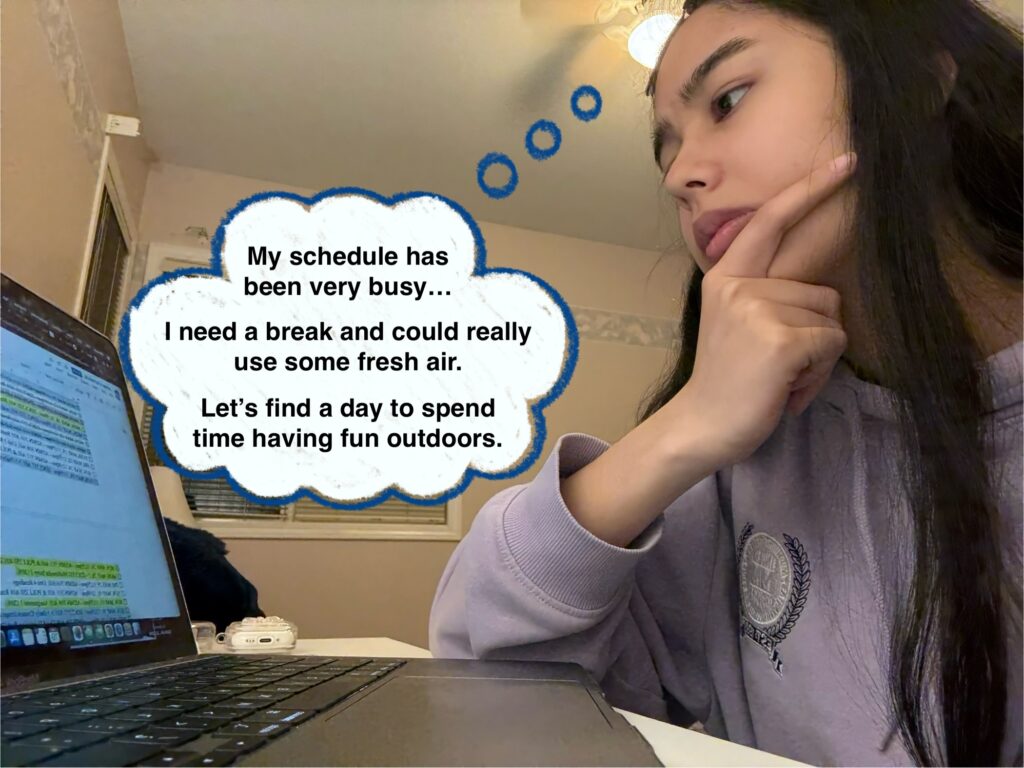
As of late, my life has been overwhelmingly filled with stressful day-to-day activities, including my recent move to Kelowna and my need to keep up with online courses at the University of Victoria (UVic). Since the start of the summer academic term, I have not yet had a chance to properly go out for a day and have some fun. This multimedia story follows an afternoon to evening of fun on Okanagan Lake as I paddle-board along the Kelowna Paddle Trail with my partner, enjoying the hot sun and the surprisingly cold yet refreshing water.
Making Our Way to Rotary Beach
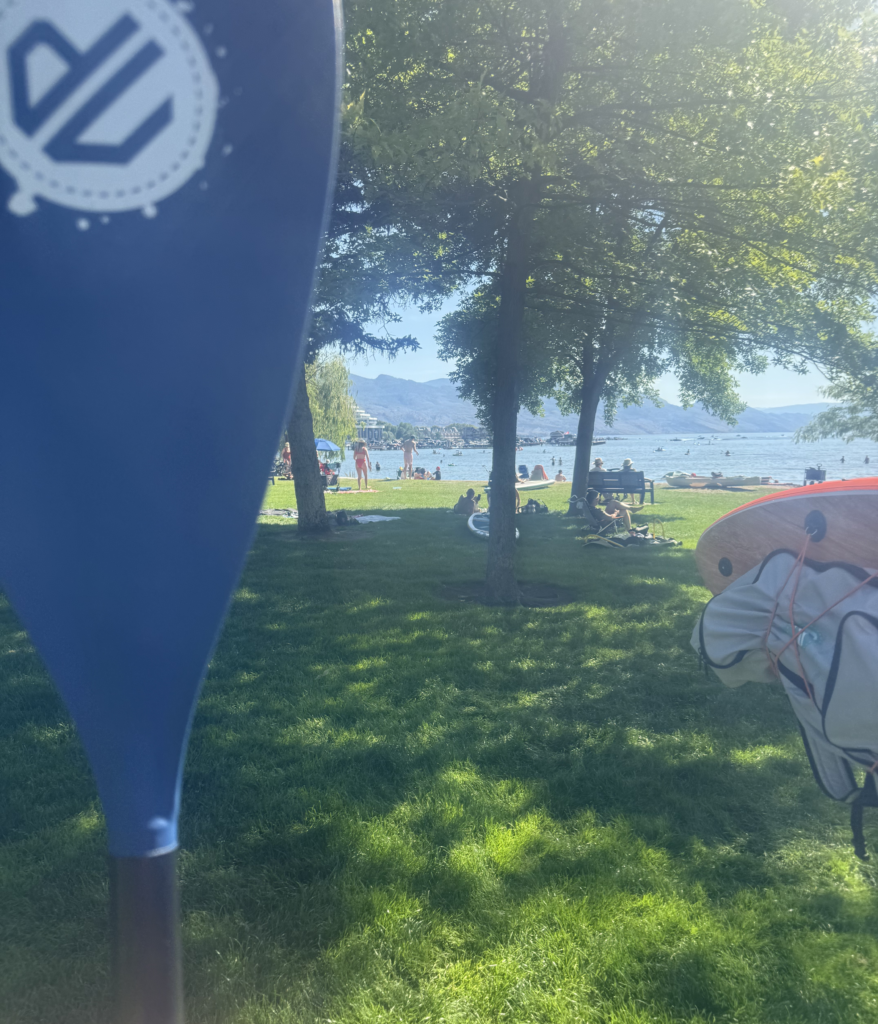
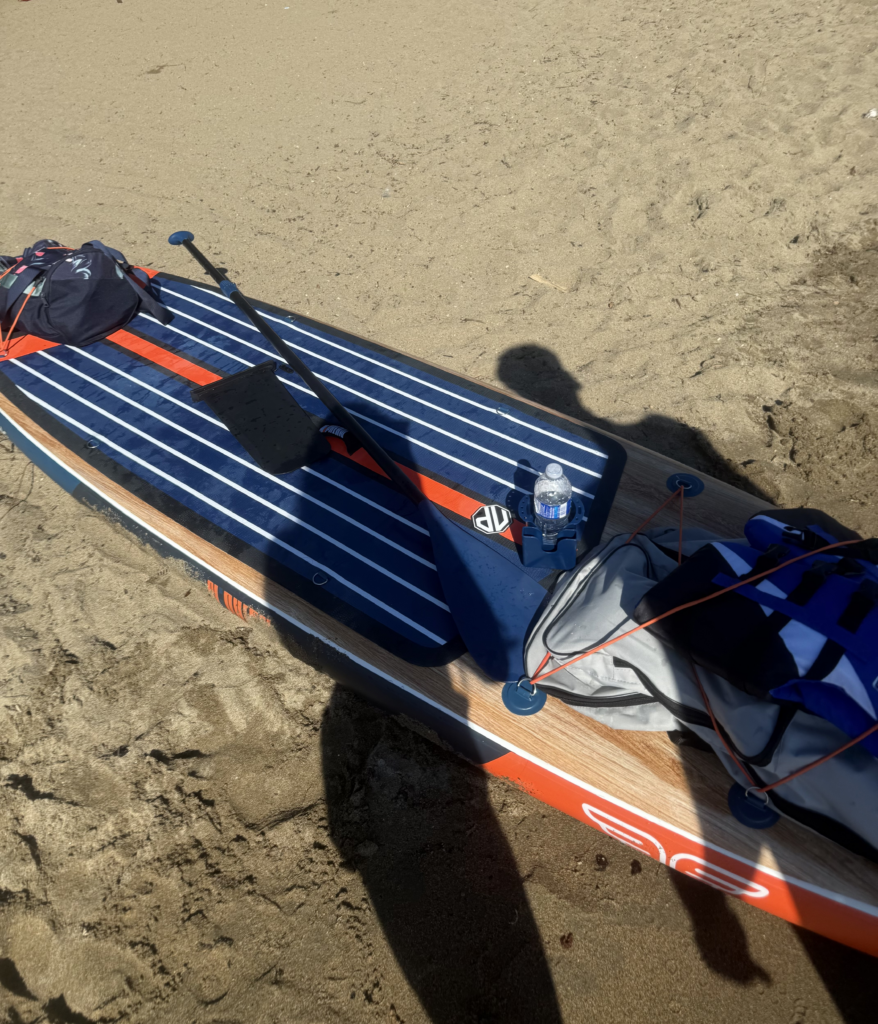
On a sunny afternoon around 3:00pm, my partner and I started getting ready to head out for paddle-boarding. The weather was looking very promising with a temperature around 29 degrees Celsius and not a single cloud in sight. We packed everything we needed, including extra clothes and towels, water bottles, sunscreen, and all of the paddle-boarding gear (the paddle-board, paddles, fin attachments, life jackets, waterproof phone pouches, etc.). Finally, we headed out the door and made a short drive to the beach.
We arrived at Rotary Beach around 4:00pm and began inflating the paddle-board, attaching the fins, putting on sunscreen, and securing the bags and life jackets to the board. We then made our way to the sandy shore to begin the adventure on the water.
Paddling Along the Kelowna Paddle Trail
It was quite uncomfortable getting into the water and on the paddle-board with the baking hot sand making walking barefoot painful and the water being surprisingly very cold. However, it was easy for us to both balance on the paddle-board as the waves were very mild, so it did not take long at all before we were finally paddling on our way.
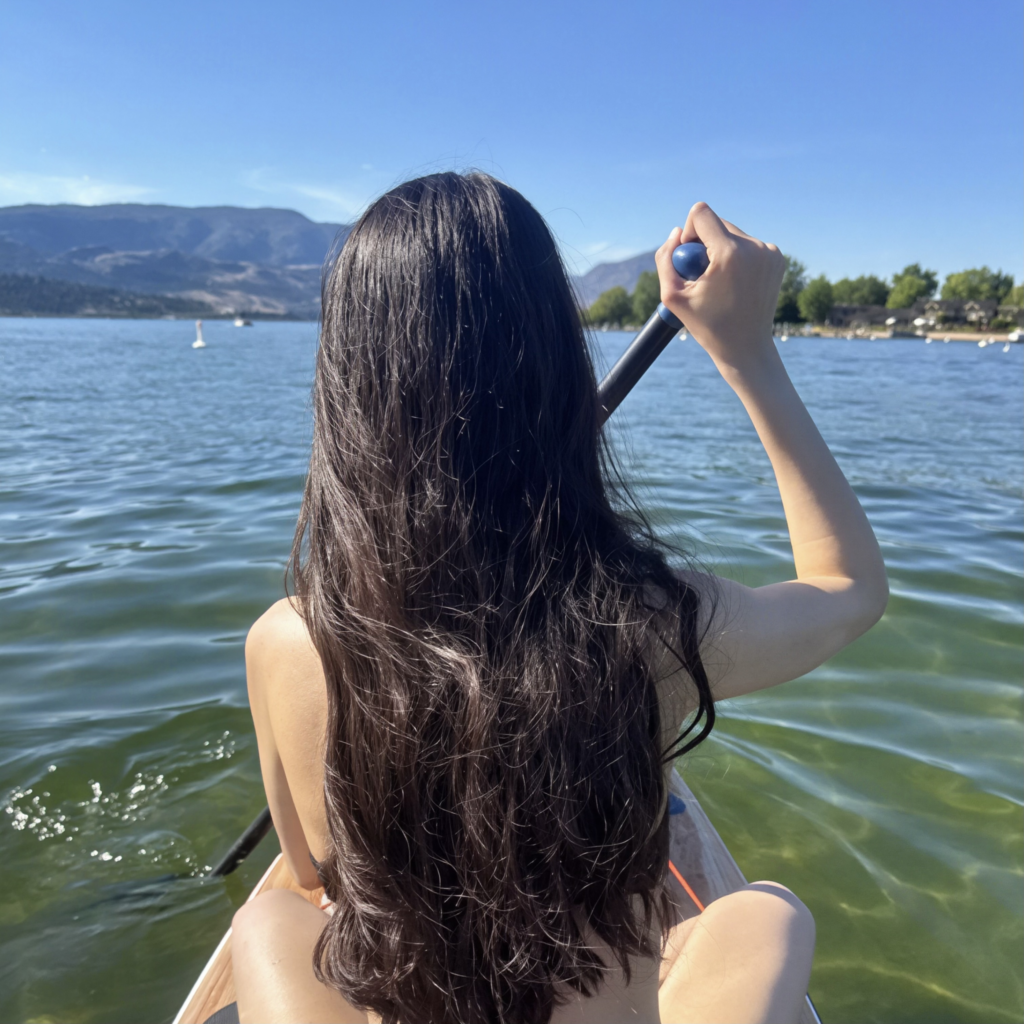
We decided to take turns paddling, as we only had one paddle. I noticed it was hard to paddle from where I was sitting at the front of the board. I kept turning in either one direction or the other instead of heading straight. It took some time to adjust our positions on the board before we could both be able to paddle straight from where we sat.
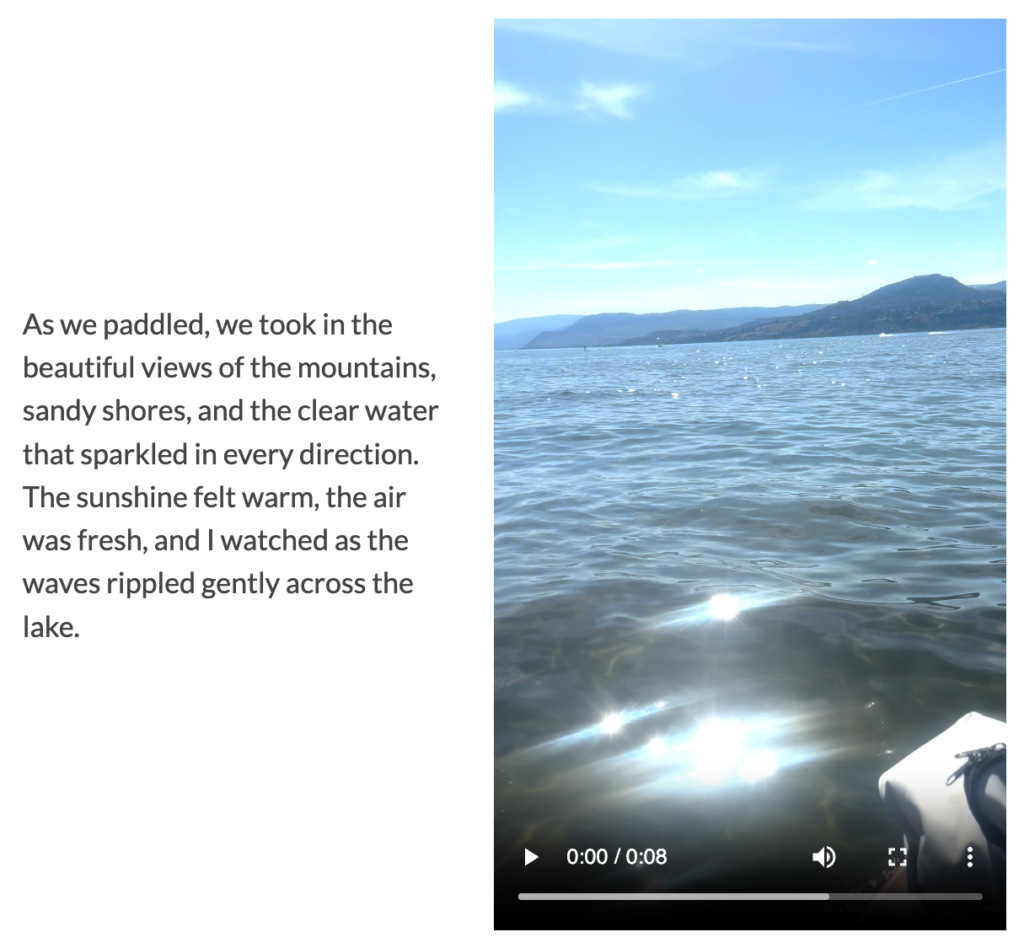
As we paddled, we took in the beautiful views of the mountains, sandy shores, and the clear water that sparkled in every direction. The sunshine felt warm, the air was fresh, and I watched as the waves rippled gently across the lake.
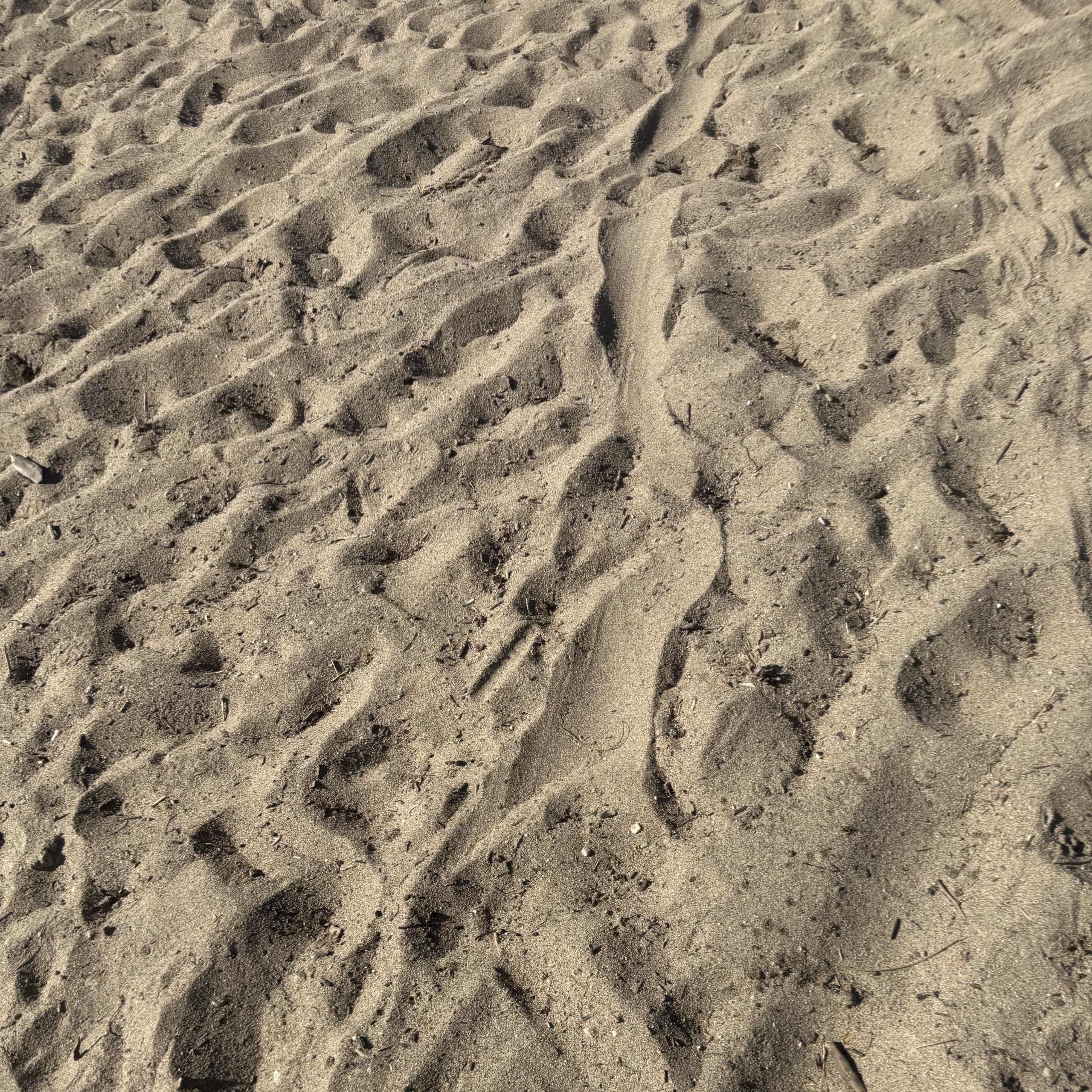
We kept paddling, passing by several boats, swimmers, and other paddlers on our way to Boyce-Gyro Beach. From the surface of the water, we could see the sand under the water had soft ridges. I took a video underwater to see it more clearly, and was marvelled by the beauty of the sun’s rays travelling across the soft sand.
Arriving at Boyce-Gyro Beach
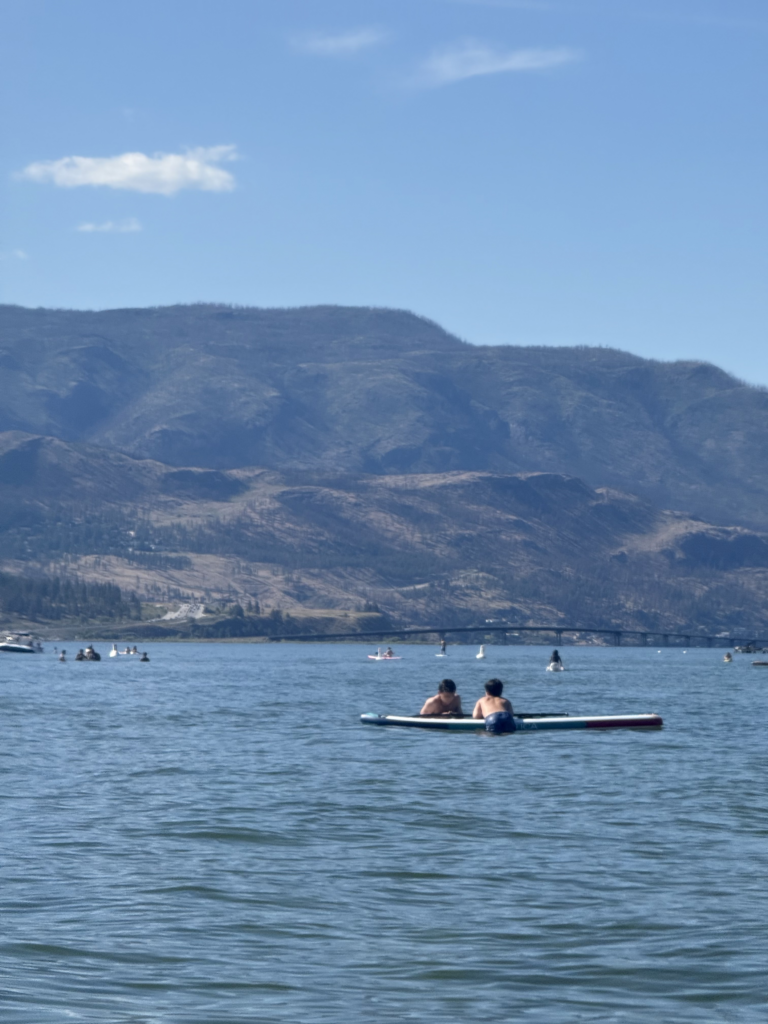
As we approached Boyce-Gyro Beach, we began to see many more people out paddle-boarding, swimming, and playing on the shore. All around us we could hear the motors of boats, kids playing in the water, and loud music from a group of people on the beach. It was nice to see so many people out and about enjoying the sun.
We decided to stay out on the water for a while near the beach and take in our surroundings. My boyfriend swam for a bit while I remained on the board, photographing the mountains and the buildings nearby. I felt so much more relaxed being out in the sun and seeing the beautiful Okanagan Lake.
After being out on the water for a while, we decided to head towards the shore to rest on the sandy beach. When we got to the shore, we could see many people laying on towels under umbrellas or directly under the hot sun. Many people carried their own paddle-boards and many waded in the water. We sat and talked about our little journey and how much fun it had been. I spoke about my schoolwork and how it’s been such a relief to not have to be studying.
As we sat on the beach, I watched as the seagulls flew overhead, leaves on trees blew in the faint wind, and the waves of the water splashed upon the shore.
Heading Back Home
After resting for a while, it was time to head back. We attached the fins and bags once again to the paddle-board and began to paddle back to Rotary Beach. On the way back, I decided to take an audio recording of the sounds underwater. I thought it sounded very cool, almost like glass clinking and bubbles popping.
As we reached the shore, seagulls waited to greet us back. I captured one on camera as it paced back and forth on the beach, snapping its beak as if it were anticipating we were bringing food.
We climbed back onto Rotary Beach, took apart all of the gear, packed the deflated paddle-board into a large bag, and changed into our extra clothes for the day.
As we headed back to the car, I reflected on how much more refreshed and happy I felt after the journey. My mind felt at ease, and I thought to myself about how taking the photos, videos, and audio recordings on the lake helped me stop and enjoy the beauty in the little things in life. It helped me to focus more on the present than on my usual daily responsibilities. Overall, I found it was a very rewarding experience.
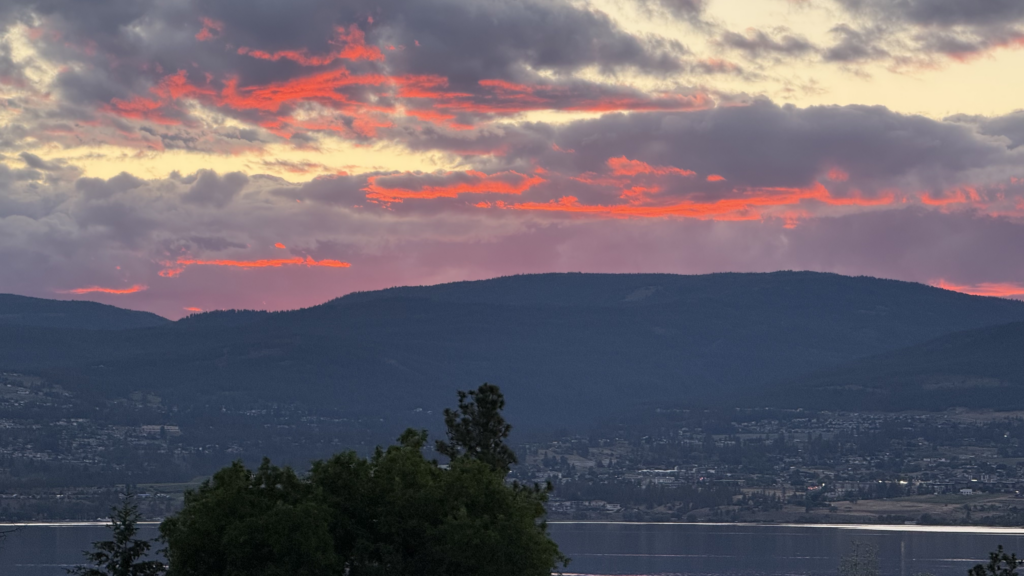
After the afternoon of paddle-boarding, we went out to get dinner and came back to see the sunset over the Okanagan Lake. It was quite a treat at the end of the day before finally heading home.
Multimedia Story Reflection and Alignment with Mayer’s Principles of Multimedia Learning
Reflecting on Storytelling
Creating this multimedia story allowed me to reflect on how different forms of media can support storytelling. Stories can be brought to life and better communicated through videos, pictures, and audio. For example, I found that accompanying my thoughts and feelings with photos of my observations could help readers gain a better understanding of the experience as a whole. Moreover, certain things that I found I could not sufficiently communicate through text alone (e.g., describing what I thought underwater sounds sounded like), were meaningfully supported by audio, as I realized some people may have different interpretations of my descriptions as opposed to listening to the audio themselves.
My Shapes of the Story Graphs
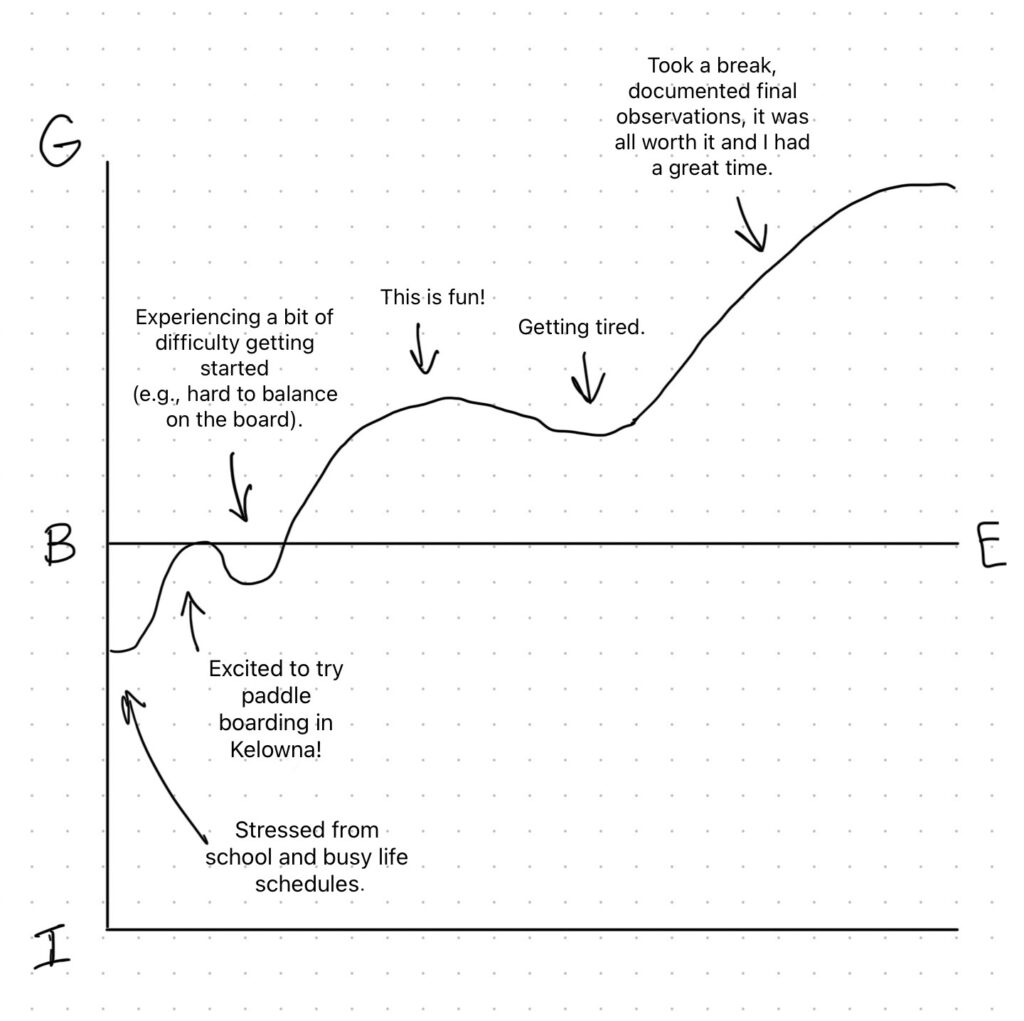
This multimedia story also allowed me to reflect on my moods. Before going out on the paddle-boarding adventure, I created a graph of what I expected (or at least hoped) the ups and downs of my moods would look like throughout the story, based on Kurt Vonnegut’s “Shapes of Stories” graph (Comberg, 2010). I was hoping the adventure would be worthwhile despite some expected obstacles.
Expected Shape of the Story
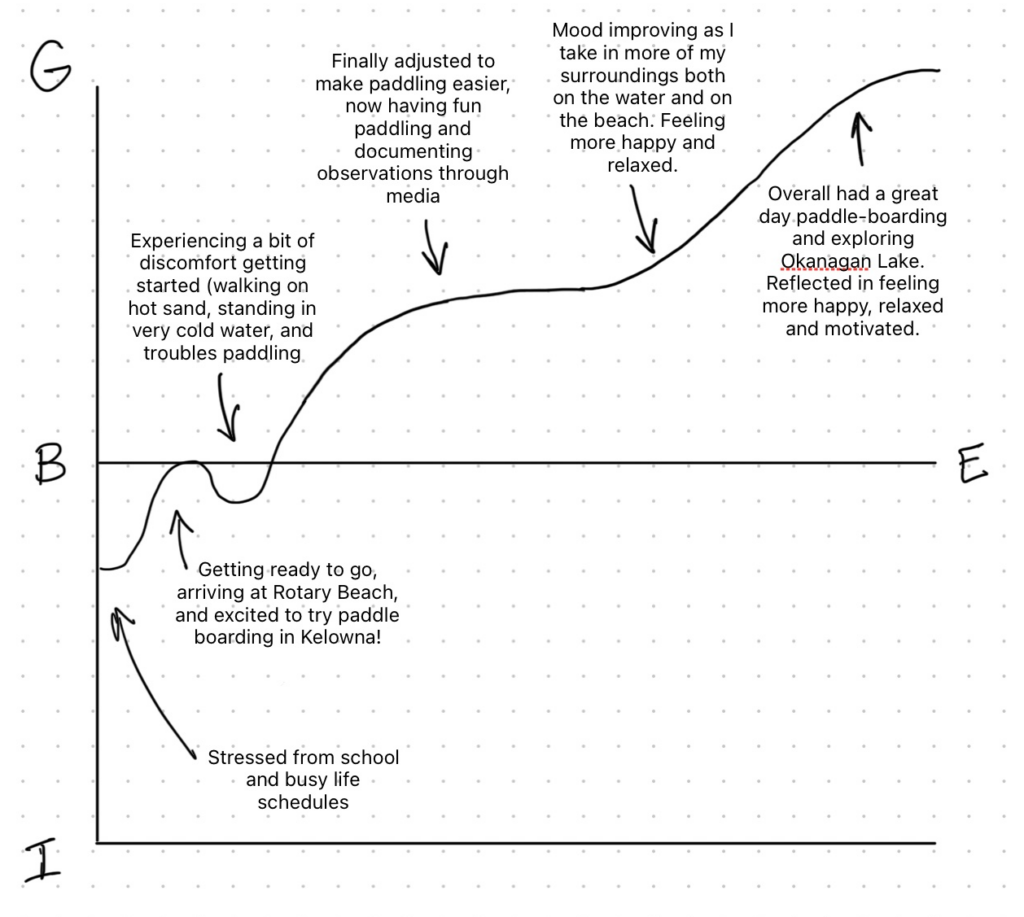
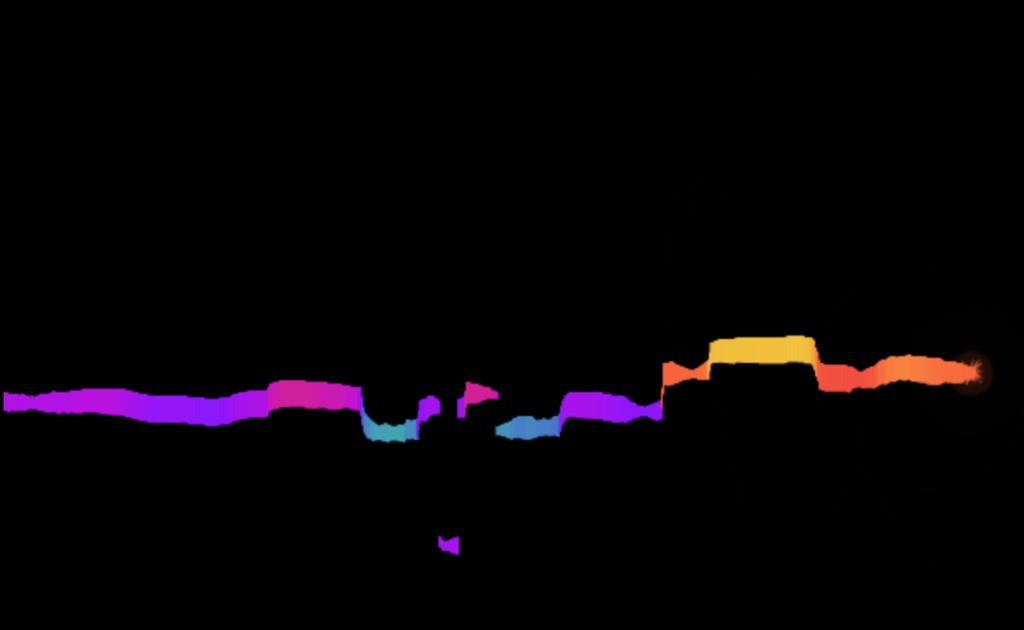
In reality, my moods turned out to be more positive overall than expected, which I’m very glad about! Below is a graph that I created after the adventure depicting my actual moods throughout the adventure, using the idea of Kurt Vonnegut’s “Shapes of Stories” graph (Comberg, 2010). Overall, I went from feeling stressed and occupied with day-to-day work to happier and more relaxed and motivated after this paddle-boarding adventure.
Actual Shape of the Story
Alignment of Mayer’s Principles of Multimedia Learning
Another thing I learned through the creation of this multimedia story is how to align media with Mayer’s Principles of Multimedia Learning. I aligned my multimedia story with the coherence principle, signalling principle, contiguity principle, and personalization principle.
Coherence Principle
I incorporated the coherence principle in my multimedia story by staying focused on the topic of the story. For example, I cut out the part of showing my dinner and explaining what I ate at the end of the day, as I realized this takes away from the story of paddle-boarding and exploring Okanagan Lake. However, I kept in all parts that were relevant to observing, exploring, and paddling on the lake, along with my thoughts and feelings during the journey. Overall, I used media including text, images, videos, and audio recordings that were relevant to my paddle-boarding experience and exploration.
Signalling Principle
My multimedia story aligns with the signalling principle as I used several headings to highlight key parts of the story such as “Making Our Way to Rotary Beach”, “Paddling Along the Kelowna Paddle Trail”, “Arriving at Boyce-Gyro Beach”, and “Heading Back Home”. These headings make it easier for readers to follow the progression of the story and to understand what is happening at what point in time and where.
Contiguity Principle
My story follows the contiguity principle as it keeps text and relevant media (pictures, videos, and audio) close together in order to make it easier for readers to associate words with media and clearly understand what is being communicated. If text and relevant media were spread apart, it would be harder for readers to understand the story. For example, if I communicated that I saw seagulls, but did not show a photo of a seagull in the story until the very last image, this would complicate things and not allow for readers to see relevant information in one place. Instead, they may find it at the end and wonder what the photo of the seagull is doing there instead of when I mentioned it. This also may cause readers to have to search for information that aligns with pictures, videos, or audio.
Personalization Principle
I used the personalization principle when creating this multimedia story by using conversational language than a more formal tone in my text. I narrated the story in first person using words like “I” and “We” to describe the progression of events and decisions made, along with personal observations and feelings throughout the story.
Incorporating Peer Feedback
I received feedback from one of my peers in my learning pod in our class of Multimedia Learning. She stated that I may consider tying back my multimedia story to a concept explored in my multimedia story draft, such as the shape of my story. For context, in my multimedia story draft (before I started the paddle-boarding adventure), I included a graph of what I guessed the ups and downs of my moods would look like throughout the story, using the idea of Kurt Vonnegut’s “Shapes of Stories” graph (Comberg, 2010). My peer suggested I could compare that graph to what actually happened in terms of my moods/shape of the story. So within this full multimedia story, I included a similar graph to show the reality of my moods throughout the story (a.k.a. what actually happened) and compared this to my initial graph that depicted what I expected my moods to look like.
For this week’s Daily Creates, I focused on creating three different forms of multimedia, text, image, and audio. These Daily Creates can be found on the Today’s Daily Create (TDC) website. I first wrote a poem on sunshine, then I took a photo of an object that is meaningful to me, and finally I made an audio recording of me saying a phrase in a language I do not speak.
Daily Creates
When Life Gives You Sunshine
This Daily Create asked me to create a poem beginning with the line “When life gives you sunshine”. I gave it a shot, speaking about how beautiful the sun is when it shines upon the earth, and how something so simple is worth enjoying in the moment before the sunshine disappears.
When life gives you sunshine,

Step outside,

Bask in its warmth,

Watch as its rays

Gently touch every object and being,

For Earth's good friend has come

to say 'Hello' before once again,

Disappearing behind the shadows of the skies
Meaningful Object
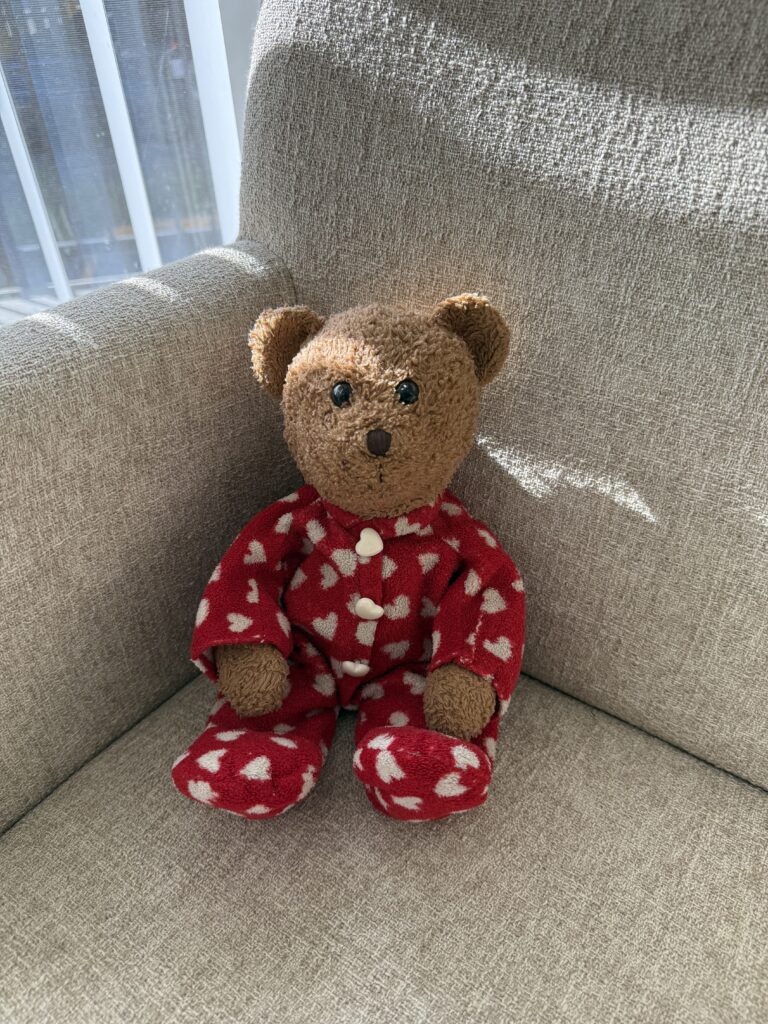
This next Daily Create asked me to show or describe an object in my house that is meaningful to me. I decided to share a photo of my childhood favourite stuffed bear. I grew up with this bear for many years of my childhood, and he has followed me during many lifetime adventures. I used to bring him to and from Cambridge Bay, Nunavut (my childhood town) to Victoria, British Columbia, and places in-between when my family and I would visit relatives during holidays. I’d take him on the bus, in the car, to restaurants, and stores. I’m quite glad I never lost this stuffed bear and have kept him until this day.
Introduce Yourself in a Language You Do Not Speak
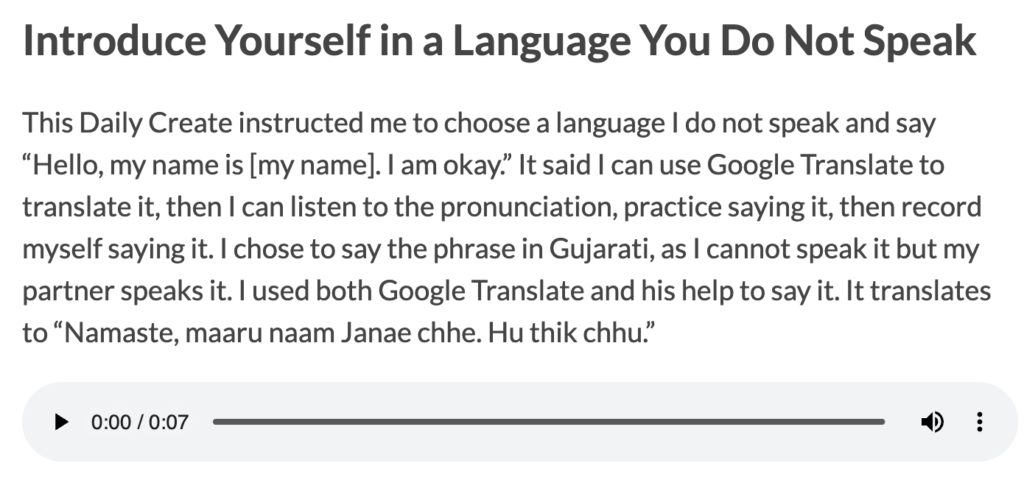
This Daily Create instructed me to choose a language I do not speak and say “Hello, my name is [my name]. I am okay.” It said I can use Google Translate to translate it, then I can listen to the pronunciation, practice saying it, then record myself saying it. I chose to say the phrase in Gujarati, as I cannot speak it but my partner speaks it. I used both Google Translate and his help to say it. It translates to “Namaste, maaru naam Janae chhe. Hu thik chhu.”
Reflection
The Daily Creates this week reflect multiple course concepts. I used different forms of media (text, image, and audio), and each of these formats contribute to learning and allowing for expression in different ways.
The first Daily Create with the poem on sunshine made me think of active processing. According to Mayer’s Cognitive Theory of Multimedia Learning, learners think of logical meaning through “an active process of filtering, selecting, organizing, and integrating information” (Granchelli, 2025b). Writing the poem required me to select and filter words that relate to warmth, memorable experiences, and the beauty of sunshine then organize this into a poem, integrating the meaning of the poem into words.
The “meaningful object” Daily Create relates to dual coding theory. The photo of my childhood stuffed bear allows for visualization of the object, while the text provides meaning to the object in the photo. Dual coding theory is where two separate channels of information (language and images) can be processed by the brain at the same time as one system of the brain processes language and the other processes images (Granchelli, 2025b). Schnotz (2022, as cited in Granchelli, 2025a), states that learners learn better through words and pictures together than words by themself. The photo on its own just looks like a old teddy bear in a chair, but with the text, the photo suddenly has a deeper meaning associated with it.
Finally, the Daily Create on recording myself speaking in Gujarati made me think of accessibility and Universal Design of Learning (UDL). I do not speak the language, but I was able to use Google Translate as a support tool as I did not just rely on text, but I listened to the audio of it to understand how to pronounce it. This aligns with the UDL guideline of providing multiple means of representation, as having multiple learning formats such as both text and audio helped meet my learning needs and contributed to my learning better. As stated by Granchelli (2026), in regards to providing multiple means of representation, things like providing visual and auditory channels for processing information such as alt tags, captions, transcripts, and user controls allow for customizable learning.
This week, I completed three Daily Creates on the Today’s Daily Create (TDC) website. I started by taking a video of something unusual during a nature walk. Then I shared a video of something that I think is fast. Finally, I attempted to make the “most boring video ever” by reading a instruction pamphlet aloud. After completing the Daily Creates, I wrote a reflection on how I believe this could align with multimedia learning.
Daily Creates
Something Unusual During Your Walk
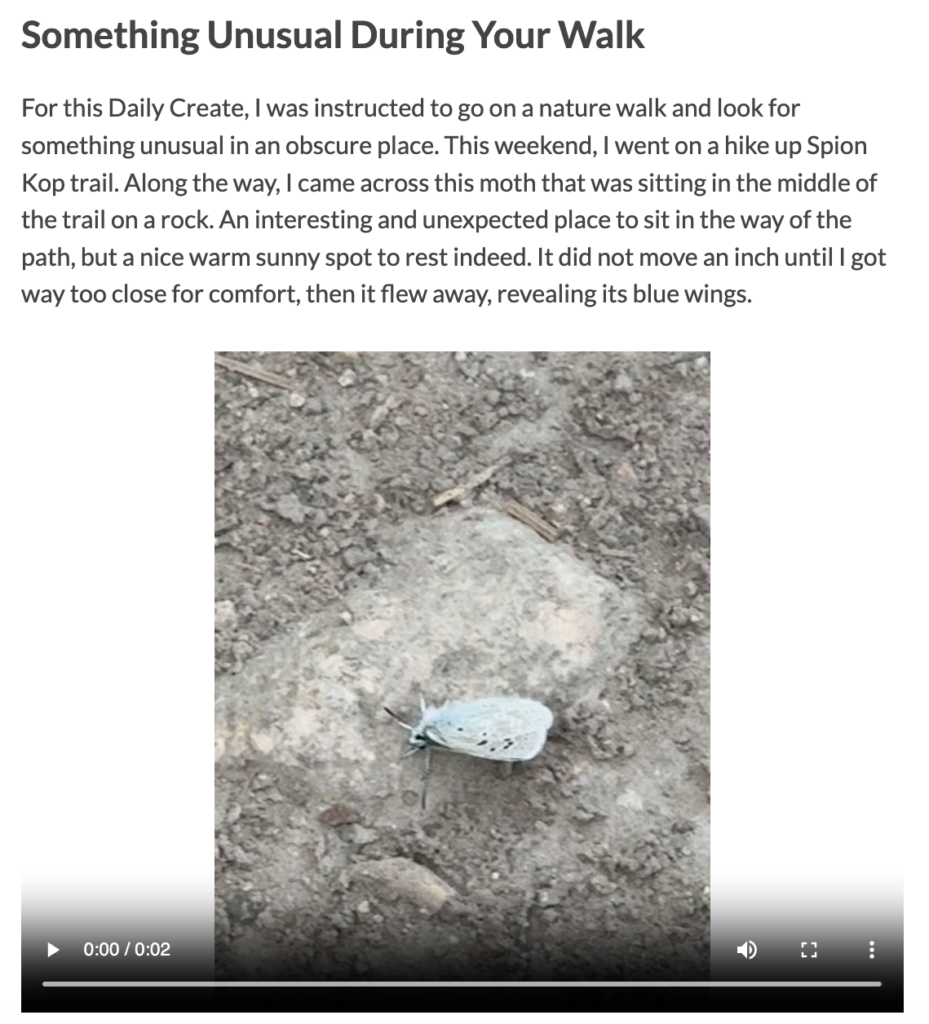
For this Daily Create, I was instructed to go on a nature walk and look for something unusual in an obscure place. This weekend, I went on a hike up Spion Kop trail. Along the way, I came across this moth that was sitting in the middle of the trail on a rock. An interesting and unexpected place to sit in the way of the path, but a nice warm sunny spot to rest indeed. It did not move an inch until I got way too close for comfort, then it flew away, revealing its blue wings.
It’s Fast
This Daily Create asked me to share a video of something speedy. I thought of everything from cars to cheetahs, but eventually my mind came to the idea of this video (see below). The video follows an iguana as it races across the sand on the Galapagos Islands, as it is chased by dozens of racer snakes, snakes that are well known to be fast. The iguana was so fast it was able to escape the racer snakes.
Make the Dullest Video Evah
Finally, I attempted to make the dullest video ever. Surprisingly, it was harder to think of how to make this video than I thought. It took a bit of brainstorming to find something boring enough! I eventually came to the decision to read something like terms and conditions, as I think most people can agree that they are boring to read. I found a pamphlet for a cardmember agreement with other important information and saw the first page was a table of contents. I thought to myself, “This is perfect! Not only do people not want to read something like this, but they would not want to hear the table of contents written out loud in full.” I made sure to read it in a monotonous voice for better effect. It made for the perfect boring video − so boring that I started feeling drowsy while reading it out loud.
Reflection
The Daily Creates from this week indicate how information, emotions, and stories can be shared and communicated. Not only do these videos share these contexts, but they also can support information communicated through text. For example, the first Daily Create about the moth shares a story through text about how I came across a moth on the Spion Kop trail, while the video supports this text with visualization of the moth. This allows viewers and readers to better understand and visualize the context. It also relates to the course concept of storytelling. Looking at the video alone does not make the context clear. It simply just looks like a moth on a rock. But this video can turn into a story when accompanied by text. This aligns with the idea that “[s]tories can engage us on a deeper level than simple facts” (Granchelli, 2025b).
The “It’s Fast” Daily Create relates to storytelling in another way. It would be pretty difficult and lengthy to explain the story of how the iguana escaped the snakes, what direction it ran, and every event that happened leading up to it. It would also be less engaging if it were not recorded, unless written very dramatically, nor would it be as believable. This aligns with storytelling in which storytelling helps learners to “imagine situations that they haven’t yet encountered, put information in context and hold on to key messages longer” (Granchelli, 2025b).
Finally, the dullest video ever Daily Create aligned with other concepts. I had to consider several ideas before I finally made a decision on what to record in my video. In this case, I used divergent thinking as it involves exploring and considering multiple options or possibilities in order to think of ideas (Granchelli, 2025a). Also reading through the pamphlet reminded me of extraneous cognitive load. The video of the pamphlet goes against the extraneous cognitive load principle of redundancy, as it is involves word-for-word narration of text. As Granchelli (2025c) states, repeating information in more than one multimedia form should be avoided in order to avoid extraneous load. For example, presenting slides with paragraphs of text and reading that text aloud causes extraneous load and therefore, slides should be simplified while narration provides details (Granchelli, 2025c). I think this is the main reason that the video is considered boring, as it requires high cognitive load to stay focused on what is being presented, with the text-heavy page and the narration which provides no added information that may be more interesting or engaging for the listener.
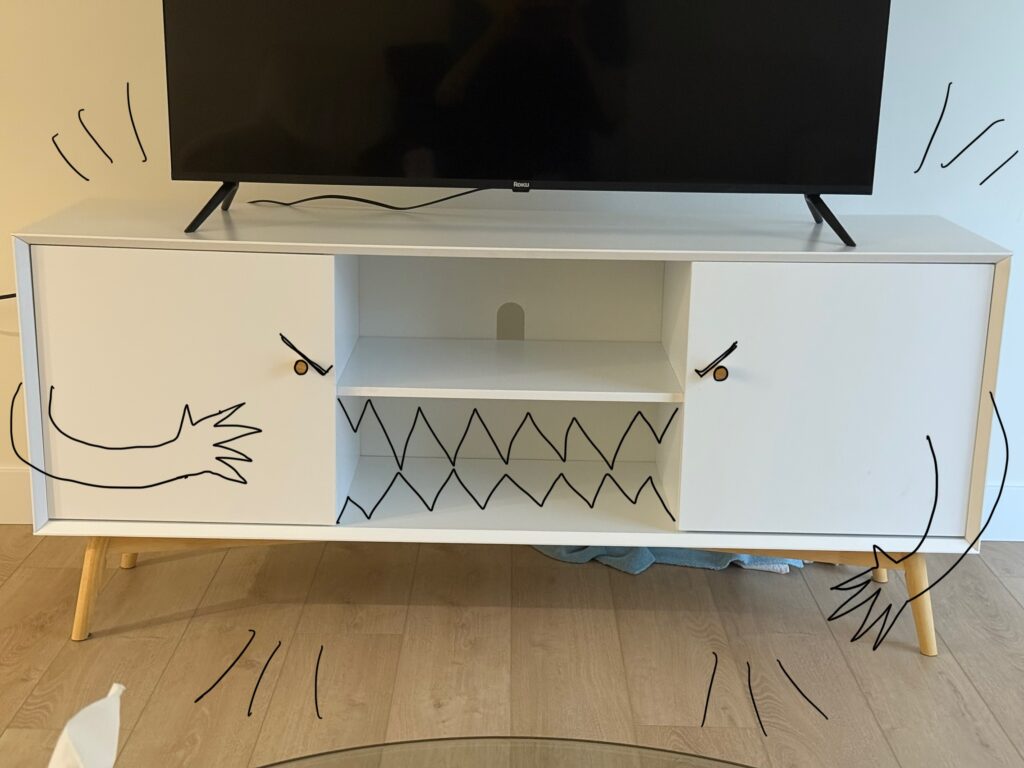
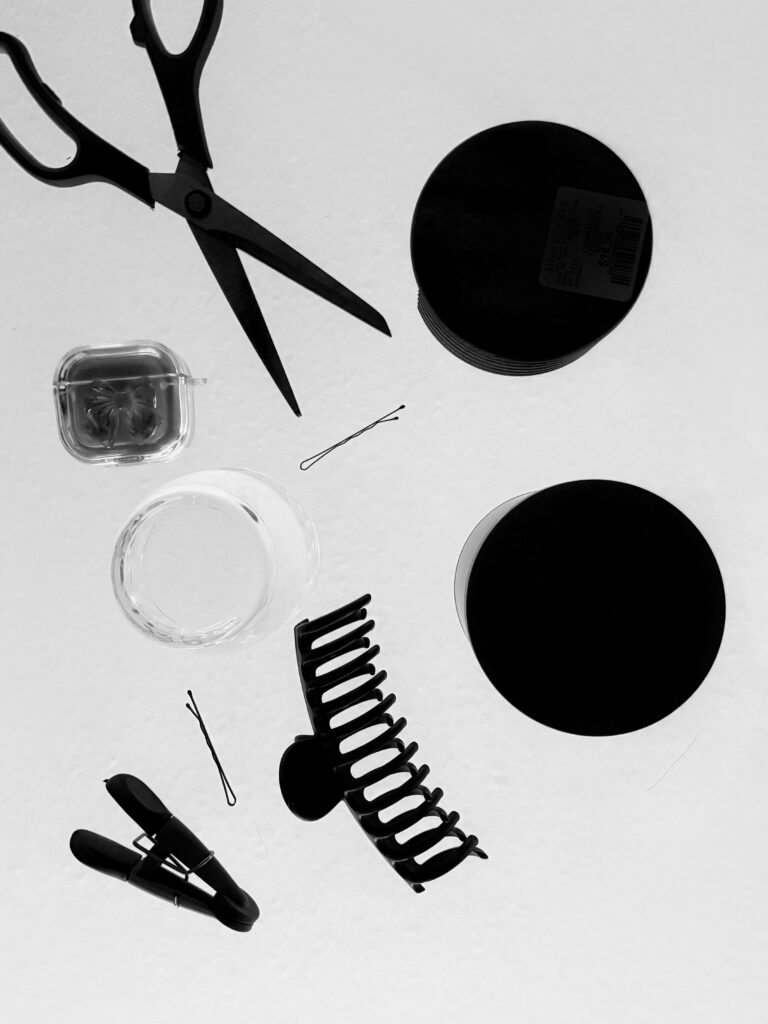
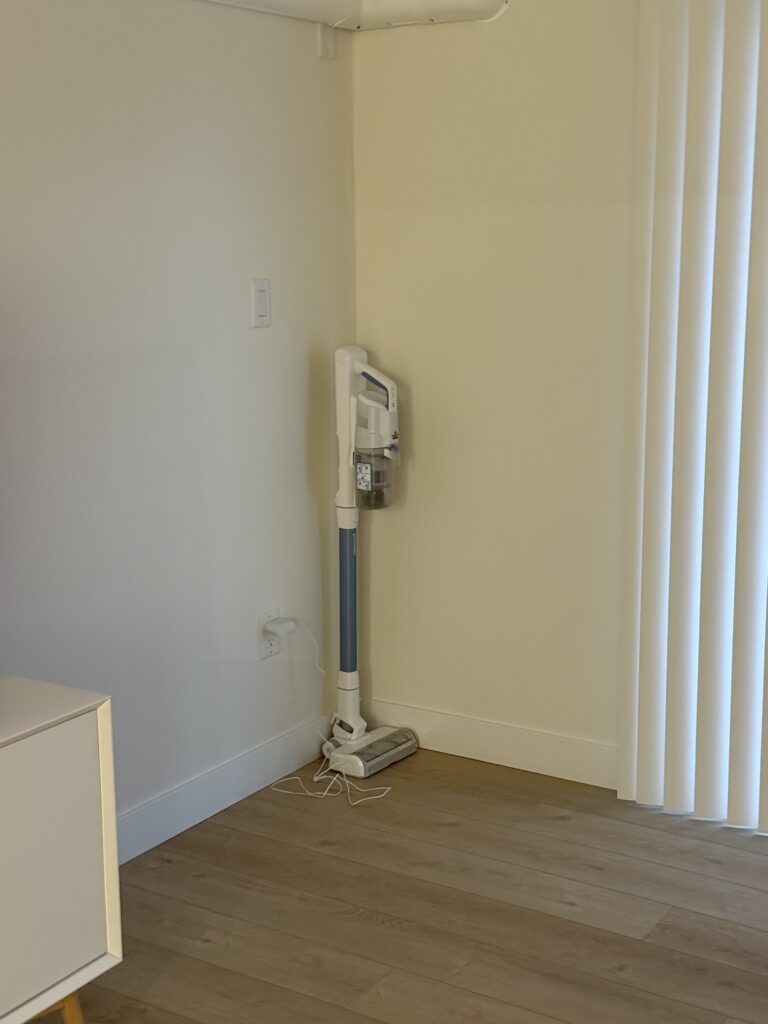
This week, I created three images following instructions in the activities on the Today’s Daily Create (TDC) website. First, I turned a photo of my TV stand into an image of a monster using my phone. Then, I created an imitation photogram using my phone camera and a glass table. Finally, I took a photo of an everyday object that appears to be spying or surveilling me, my vacuum.
Daily Creates
Monster Art
For this Daily Create, the instructions asked me to turn a photo into monster art. Long before knowing about this daily create, I noticed my TV stand looked like its cabinet knobs were eyes and the shelf were a mouth. I decided I would take a photo of it and bring to life what I had imagined. It looks like the monster is hungry for DVDs and video game cartridges.
Photogram It
This Daily Create asked me to make a digital photogram without special paper or chemicals, so I placed objects in my house on a glass table and took a photo from underneath it. Then I edited the photo to make it black and white. Usually photograms have a black background with white objects, but some can be made to have a white background with black objects much like this photo I made.
Add a Subtle Bit of Surveillance to an Every Day Object
This Daily Create had instructions stating to create a photo of an everyday object that looks like it has the capacity for surveillance (e.g., with cameras, wires, microphones, or sensors in it). I saw my vacuum cleaner in the corner in the living room and took a photo of it. It sure looks like it’s surveilling my every move.
Reflection
In multimedia, images are often used to communicate ideas, stories, knowledge, and emotions. It also helps viewers grasp a better understanding on what is being communicated by visualizing things that support text. Creating these images for the Daily Creates opened my eyes towards how everyday objects and photos can be transformed to bring meaning, especially if these images are photographed or edited to create or support that meaning. For example, the TV stand monster art helped me to understand how meaning can be assigned to an image. This idea connects to the course concept that “students usually learn better from words and pictures than from words alone” (Schnotz, 2022, p.92, as cited in Granchelli, 2025b). While my Daily Creates are mostly image-based, the explanations and text associated with each image help to provide context that can make it easier for others to understand.
My TV stand monster was edited to give it meaning and text supported it within this blog. Same goes for the vacuum, as the text suggests a story behind the image, where the vacuum is spying on or surveilling me. These Daily Creates can be tied to dual coding theory where two separate parts of the brain process text and visual information (Granchelli, 2025b). The image I made provided meaning while the text explained the creativity and meaning behind it.
Finally, the photogram activity required active processing from my end, as I had to think about the correct angle to use, what objects would look nice in the photo, and how to make the photo look like a photogram. Granchelli (2025a) states that active processing involves “filtering, selecting, organizing, and integrating information”. I researched information online about what photograms are and how they are created, then I selected the objects to include in the photo, and organized them on the table. This contributed to my learning on how to create images, combined with my new understanding on how images can create meaning.
For my multimedia adventure story project, I plan to go paddle boarding on Okanagan Lake and exploring a beach in Kelowna! As you may know from my previous blog posts, I have recently just moved to Kelowna from Victoria, British Columbia. My partner graduated recently and got a full-time job here, and because this is my final term of university and my courses are fully online, I decided to relocate as well and plan to stay after graduating. Since moving here, I have been very interested in exploring and experiencing different activities in the region. Last summer in Victoria, my partner and I got into paddle boarding, and we recently were planning to try it out here in Kelowna while exploring some beaches. I thought this would be a great activity to document for my multimedia story project!
Thetis Lake, Victoria, British Columbia
Some things I will need for my adventure are my paddle board and paddle (obviously!), and my phone to take photos, record videos and audio recordings, and document notes. I can keep my phone in a waterproof phone pouch. I would like to document observations around me as we paddle board on the Kelowna Paddle Trail and when we sit at the beach. For example, the sound of the waves, the animals and nature on land, the sandy or rocky shores, and the houses or buildings on land seen from the lake. I might even be able to capture some footage underwater!
Shape of My Multimedia Story
The way in which I will shape my story will be based on the order of events and progress as I go on this little paddle boarding trip. I plan to start off at one beach, where I may document some initial observations and interesting findings. From there, we will paddle along the the Kelowna Paddle Trail, capturing photos with my phone and making other observations and media until we find a nice spot to sit (perhaps another beach). I will make sure to check the location of this spot and note it down (or perhaps I will plan early on where to stop), and I’ll make some more observations and media documentations here. Finally, we’ll head back and I will make my final observations.
Aside from events, the shape of the story will also follow my moods as go from feeling rather stressed and occupied with day-to-day work to hopefully happier and refreshed after this activity. I have recently been feeling burnout carried over from last semester and stress throughout these past few weeks as I have been cooped up in the house trying to catch up on studies and planning to move into my new apartment. I missed the first week of online courses because I spent the first week packing and moving to Kelowna, so I been trying to catch up on work. I am hoping my story will follow the ups and downs of my moods, similar to what is explained and captured by Kurt Vonnegut’s concept of simple shapes of stories (Comberg, 2010). Below is a graph of what I expect (or at least hope) these ups and downs will look like, based on Kurt Vonnegut’s “Shapes of Stories” graph (Comberg, 2010).
Types of Media and Applied Mayer’s Principles
I plan to use several types of media in my story, including:
Text:
Narrating the story/process of my paddle boarding trip,
Writing my observations on the environment around me, and
Writing down my feelings and mood observations.
Image:
Taking photos of my surroundings (e.g., the beach, the water, nature, animals, what I see on the shore from the water, etc.).
Possibly sketching anything I found interesting once I get home based on the photos I took (if I have time).
Video:
Taking videos of my surroundings (the paddles hitting the water, the waves, sand, trees, animals, etc.).
Audio:
Recording sounds of my surroundings (e.g. sounds of the water, birds, wind, etc.)
I would also like to apply Mayer’s 12 Principles of Multimedia Learning in my multimedia story. For example, I will use the redundancy principle to avoid repeating the exact same part of the story twice through different media. An example of redundancy would be adding an image of the paddle board floating on the lake and then writing a text that says “the paddle board floated on the lake” without going into more detail or adding a narration on the meaning that paddle boarding had for me. I will also use the signaling principle by using headings in my text to make it easier to grasp key information about the story. Another principle I will use is the contiguity principle as I will place images, audio, or videos close to related bodies of text so that it is easier for readers/viewers to understand and visualize the story. Finally, another example of a principle I will use is the personalization principle, as I would like to keep my story written in a conversational form so that the story is easier to relate to and more connected with the reader.
This week, I worked on creating three audio-related media based on the activities on the Today’s Daily Create (TDC) website. I first created an image using Google’s Seeing Music experiment, where I sung into the microphone as the platform transformed my singing into art. I then made an audio recording of me pronouncing the word Floccinaucinihilification. Finally, I recorded an audio of machines and attempted to write about what kind of conversations they would be having with one another if they could speak.
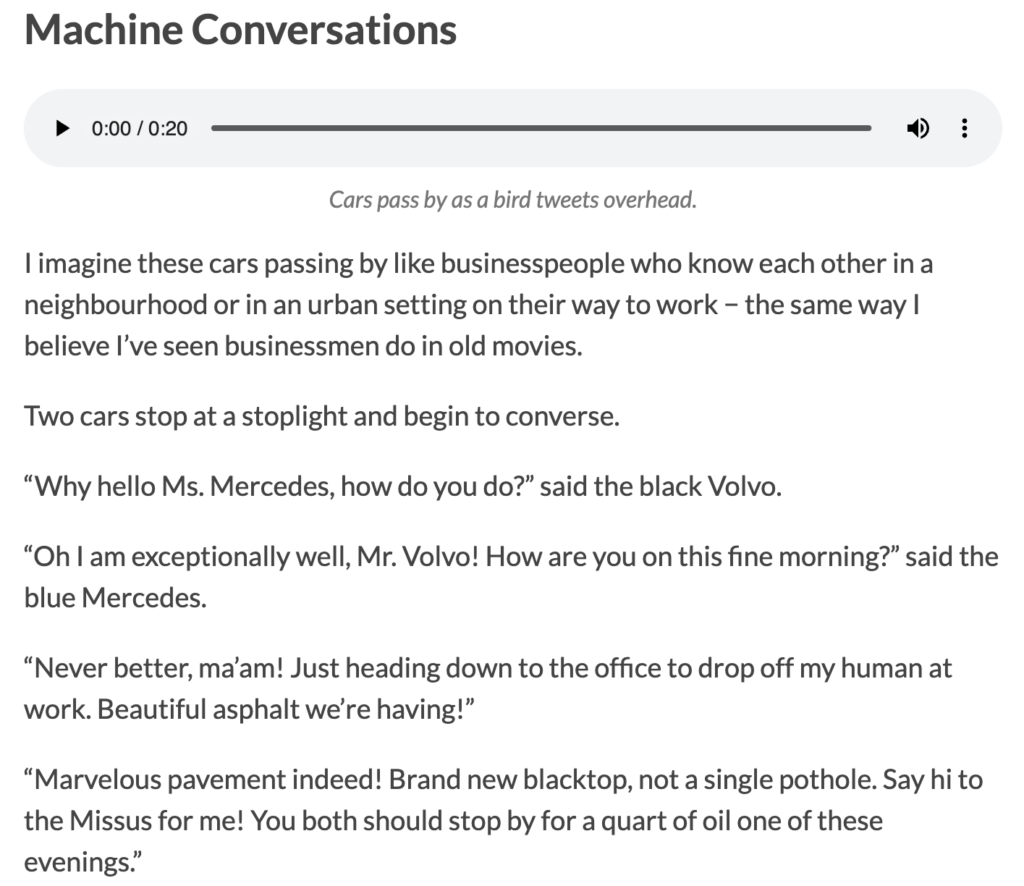
I imagine these cars passing by like businesspeople who know each other in a neighbourhood or in an urban setting on their way to work − the same way I believe I’ve seen businessmen do in old movies.
Two cars stop at a stoplight and begin to converse.
“Why hello Ms. Mercedes, how do you do?” said the black Volvo.
“Oh I am exceptionally well, Mr. Volvo! How are you on this fine morning?” said the blue Mercedes.
“Never better, ma’am! Just heading down to the office to drop off my human at work. Beautiful asphalt we’re having!”
“Marvelous pavement indeed! Brand new blacktop, not a single pothole. Say hi to the Missus for me! You both should stop by for a quart of oil one of these evenings.”
Reflection
The first Daily Create I did this week was creating an image of art using Google’s Seeing Music experiment, where I sung into the microphone as the platform transformed my singing into art. I first used Merrill’s First Principle of Demonstration to read/watch a tutorial on the platform so I knew how to use the tool. I then used Merrill’s First Principle of Application as I applied my new knowledge to using the tools and creating art from my voice. I noticed that the lines of art drawn on the page followed the pitch of my voice as I sang. It took a few tries to be able to screenshot the art being created, as the created art did not stop when I stopped recording − instead, the page simply kept rolling until the canvas turned onto a blank piece of paper and the art went off the page. However, practicing and trying again allowed me to use active learning, both in my singing and using the tool.
The second Daily Create I did was pronouncing the word Floccinaucinihilification. I had to practice this a few times before pressing record because I was utterly confused as to how to pronounce the word. I did not watch or listen to a demonstration of the pronunciation as I wanted to guess how to pronounce it based on reading it alone. I recorded it and attached it to this blog post. Unfortunately, I was not that close to pronouncing it right as I later found out that the word was spelled incorrectly on the Today’s Daily Create (TDC) website. The actual word is Floccinaucinihilipilification. Perhaps I pronounced it correctly if Floccinaucinihilification were the correct word in another world? Either way, after multiple attempts I think I put active learning into practice until I believed I was pronouncing the word to the best of my ability.
Finally, I recorded an audio of machines − that is, cars − and attempted to write about what kind of conversations they would be having with one another if they could speak. These cars were passing by outside my partner’s house on a busy street. It was hard to think of a conversation that they would be having, but my previous experiences with creative writing during last week’s Daily Creates helped. This allowed me to apply Merrill’s First Principles of Application and maybe even Integration as I applied my learnings and continue to integrate it into my work at university.
One thing I had trouble with during these Daily Creates was turning my M4A audio files on my Macbook into MP3 files to upload onto this blog. I did some research which required passive reading online, and then put it into practice only to find out certain things did not align with what I found online. For example, I could not find an option to download the M4A file from the Voice Memos app to the files on my computer, although it stated to do so online. However, I did eventually figure out that I could drag and drop it into my desktop, and then go online to an M4A to MP3 converter and download the converted file. This ultimately required quite a bit of active learning.
Hello everyone and welcome to the first post of my blog! This week, I explored creating texts based on challenges found on the Today’s Daily Create (TDC) website for my course, Interactive and Multimedia Learning (EDCI 337).
I spent time going through three of the Writing Daily Creates, which led me to create a poem on a lost sock, a story where words and phrases are built in alphabetical order, and a thought-provoking description of what silence is, as can be found below.
Creating these texts allowed me to explore my creative side, gain insights on the challenges, and learn how to create engaging texts, and I would like to share them with you!
My Daily Creates
National Lost Sock Memorial Day
I lost my sock. Oh where did it go? Is it far or near? I do not know. Did I lose it at the beach, when I took them off to swim? Or did I lose it in my sheets, when I lay for “just a min’”? Did I put it in the closet, after I did the laundry? Or perhaps inside my pocket? No that cannot be. Oh there it is! Not where it should be. Under the table with my cat, As he grabs it with his teeth.
Write an Alphabet Story
At night, Beatrix the witch went into the yard where her Cauldron could be found. Her witch friends shortly joined her, bringing Dreadful objects for their midnight spell, including bats, frogs, jars of flies, and snakes. Each witch gathered in a circle around the cauldron. Finally, they chanted their spell: “Goblins and trolls, Harrowing souls, Illness and pain, don’t come again. Joy shall be brought, Kindness shall reign, and Love and life will be brought once again”. Then the witches threw in the ingredients, and Mashed up a soup Night turned to day, Owls fell asleep, Packing up the soup into a covered bowl, the witches went to the Queen, who lay ill in bed. As they fed her the soup her cheeks turned Rose once again, and life returned to her eyes. She delightedly drank the soup, and Thanked her friends. Upon her wake and healing, she Vowed to protect the witches from inquisitors and return their favour With gratitude everlasting.
Describe in Writing for Someone Who Cannot Hear, the Feeling of Silence
Silence is the absence of a particular sound of importance. You may hear noises in the background, the whirring of the lights above you, the sounds of cars outside a window, the sound of your own breath. But these sounds are unnoticeable as your mind focuses on finding a sound of importance, perhaps a voice of a friend or family member, or the sound of the telephone ringing as you wait for an important call. Not noticing the unimportant background sounds is as easy as not noticing that you are blinking every few seconds. But once you become aware, it is no longer silent.
Reflection on My Daily Creates
General Observations
This week in the Interactive and Multimedia Learning course (EDCI 337), I started with the poem of a lost sock for “National Lost Sock Memorial Day”. Upon first glance of the instructions on the website, I felt a little overconfident, thinking this would be super easy to finish. Five minutes in, and I barely had three lines on the page! I found myself contemplating too much on what to write about, and eventually decided to just wing it and make it up as I go. I found the less I stressed about what to write, the more fun I had and the easier and better the poem came out to be. To me, this is interesting because the more I actually started to enjoy the work and not perceive it as a chore, the “easier” the task felt.
The next thing I started working on was writing an Alphabet story, as specified under “Write an Alphabet Story” on the TDC website. Here, I wrote a story where words and phrases were formulated in alphabetical order at the start of each line. Surprisingly, I found this activity to be slightly less challenging, as I think I started to get into the flow of writing things. I happened to be writing each of the texts on the same day which allowed me to have a continuous learning experience. However, one thing to note about this task is that I did spend a bit more time on it overall as I started to enjoy the activity and got a bit carried away. Nonetheless, I think as I started to get more into the flow of writing, my mind shifted from extraneous cognitive load and intrinsic cognitive load to more germane cognitive load.
Alignment with Theories of Multimedia Learning
During the first task (the lost sock poem), I found difficulty in deciding how to structure my poem. Since I had little to no experience in writing poems, it required more intrinsic cognitive load for me to figure out what to write in the poem. I also had to think about answers to the questions, which were very open-ended, such as “Who lost the sock? Where did it go? Who found it? Is there a happy ending?” (The DS106 Daily Create, 2026). Additionally, there were no instructions in the activity as to how to structure the poem. The design of these questions and lack of instructions in this Daily Create required more extraneous cognitive load from my end.
As I transitioned to working on the Alphabet story, not only did I already have prior practice in writing after the first task, but I had a laid out template to follow the alphabetical order. This reduced extraneous cognitive load for me along with a bit of intrinsic cognitive load. While it was a bit tricky to piece together words starting with letters and connect them, I could make the lines as long as I wanted until I thought of a word that worked with the next letter. This suggests that intrinsic load was not fully eliminated, as the task was still fairly challenging, but it was definitely easier than the previous task. For this task, I used more germane cognitive load as my learnings from both writings became more integrated into my long term memory. I say they became a part of my long term memory because this was one of my first experiences with creative writing in a long time and I really enjoyed it, ultimately leading this to be a more memorable experience for me.
The final writing activity I did was writing a description of what silence is. In this activity, I had to describe silence as if I’m describing it to someone who cannot hear. I found this activity to be the easiest because the instructions were quite straightforward and at this point I had a lot more practice with creative writing. I made it up as I went along and ended up going from a simple description of silence to a thought-provoking message of how “silence” is not always exactly silent as it is easy to tune out background noise. I think by the time I got to this final writing task, I used the least amount of extraneous cognitive load as I was more familiar with the activity style.
References
The DS106 Daily Create. (2026, May 9). tdc5230 #ds106 #dailycreate National Lost Sock Memorial Day.https://daily.ds106.us/tdc5230/
Hi everyone! My name is Janae and I’m originally from Victoria, British Columbia, although I recently just moved to Kelowna, BC (I moved here last week!).
I am half Filipina and half Canadian. Additionally, although I was born in Victoria, I grew up in Cambridge Bay, Nunavut during my childhood until age 12. I think this combination in my upbringing gives me a particularly unique background and life experience.
My native/first language is English. While I can only speak very basic Tagalog words and phrases, I plan to learn the language after I graduate from university!
Drive to Kelowna
I’m in my fourth year of Health Information Science at the University of Victoria. This is my final term before I graduate from my degree! I am taking online electives over the summer, including this course. I am currently taking this course to learn multimedia design principles for the purpose of supporting education/learning, and to use storytelling in creating learning opportunities.
Throughout the course of my degree, I have gained co-op work experience at three different jobs, including working for Island Health Authority, Fraser Health Authority, and Eupraxia Pharmaceuticals. At Island Health, I worked as a Junior Project Analyst where I oversaw all sorts of technological and business projects. At both Fraser Health and Eupraxia Pharmaceuticals, I worked as a Business Analyst where I handled budgeting, testing of systems, and other business operations.
Outside of school, I enjoy playing classical piano and violin (I was previously pursuing my Royal Conservatory of Music diploma for classical piano before starting university). I also like to hike, read, draw, work out, paddleboard, and go out with friends.





Recent Comments